

Hi all, i have this laptop with message of blown fuse.
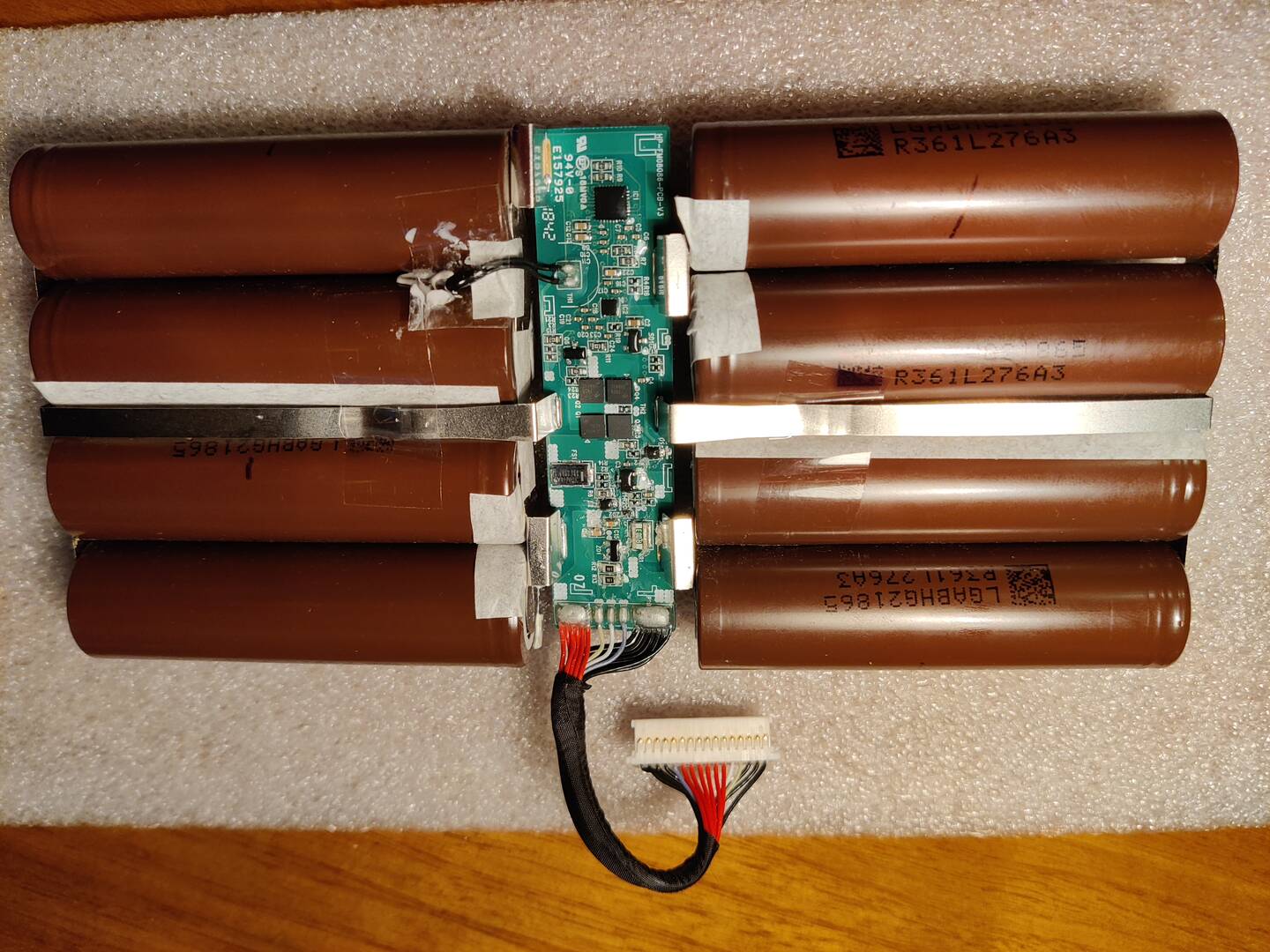
i already opened the battery and i am assuming that this "FS1" its the fuse. correct me if i am wrong please.
seaching info about this smart fuses i have read somewhere that to check them we do continuity test on the longer side pins. the multimiter beeps on the test.
i have 14.6v and the closest 18650 pins from the cable, but on the actual cabe conector 0V.
can someone help me to test the battery any further to fix my problem?
thanks in advance to all

Before anything else provide screenshot with dynamic & static battery data.
Hi torture, i dont have the device to provide you that info?
is it mandatory on this forum? if so, am sorry to have posted without it
Being 100% honest, is very difficult to find info about this kind of problem on the internet (to me at least), and as soon as i saw that this forum has some helpful people and topics, i joined it and made the post.

We have a tutorial on how to check and recover battery fuses. Look at Tutorial on this forum.
this laptop with message of blown fuse.
Could you paste snapshot of this message.
Dji, you talking about this: https://www.laptopu.ro/community/how-to-reset-and-repair-laptop-battery-tutorial/battery-fuse-replacement/
in my case, the "FS1" its 30AH40A, it looks to me as same kind of the one in that post 4 pin type.
to check if this is really faulty i must remove it or can i just do the continuity test on the long side pins? when its faulty the result is open or close?
i wanted to be sure that its really that fuse before i solder it.
thanks
Remove the black plastic cap on top of the fuse and post a close up picture.
thanks again to both for your time and patience.
torture, before ill do that, let me post this picture first with some testing, it might tell you anything before i get into the fuse cap.
i also saw in tome other topic you telling that in order to see voltage in battery terminal we need to have it connected in the laptop. i did that and no voltaged in the MB battery socket.
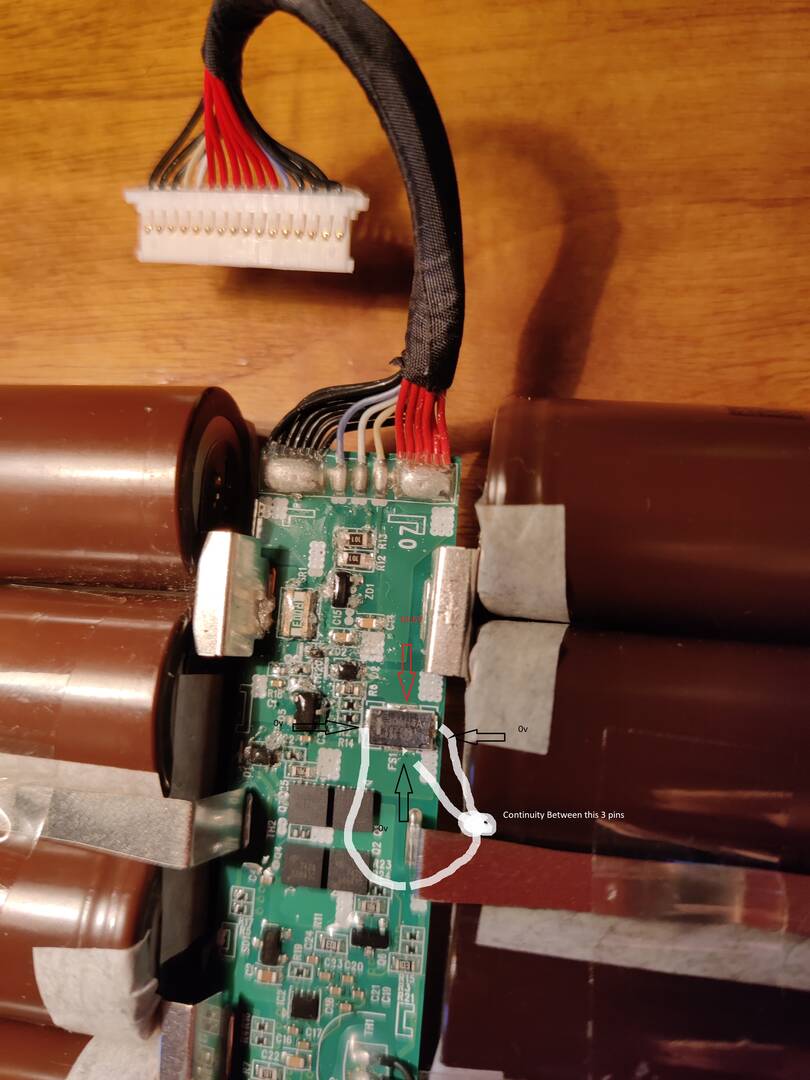
after posting the picture i see that we cant see the numbers, in simple way, in the red pin, i get the 14.6V, on others 3 pins 0V
all the black are conected, the multimiter "beeps" in all
i also saw in tome other topic you telling that in order to see voltage in battery terminal we need to have it connected in the laptop. i did that and no voltaged in the MB battery socket
This is only for batteries that have SP pin and your does not.
so in my case i should have allways the 14v on terminals?
so in my case i should have allways the 14v on terminals?
Yes but you don't understand that is very hard (almost impossible) to know whats wrong woth your battery without reading info from the chip.
1. Measure the individual cell group voltages.
2. Remove the fuse cap and make a close up shot (you still have not done this)
i have 2 cells with 3.10v and the other 6 with 3.87v.
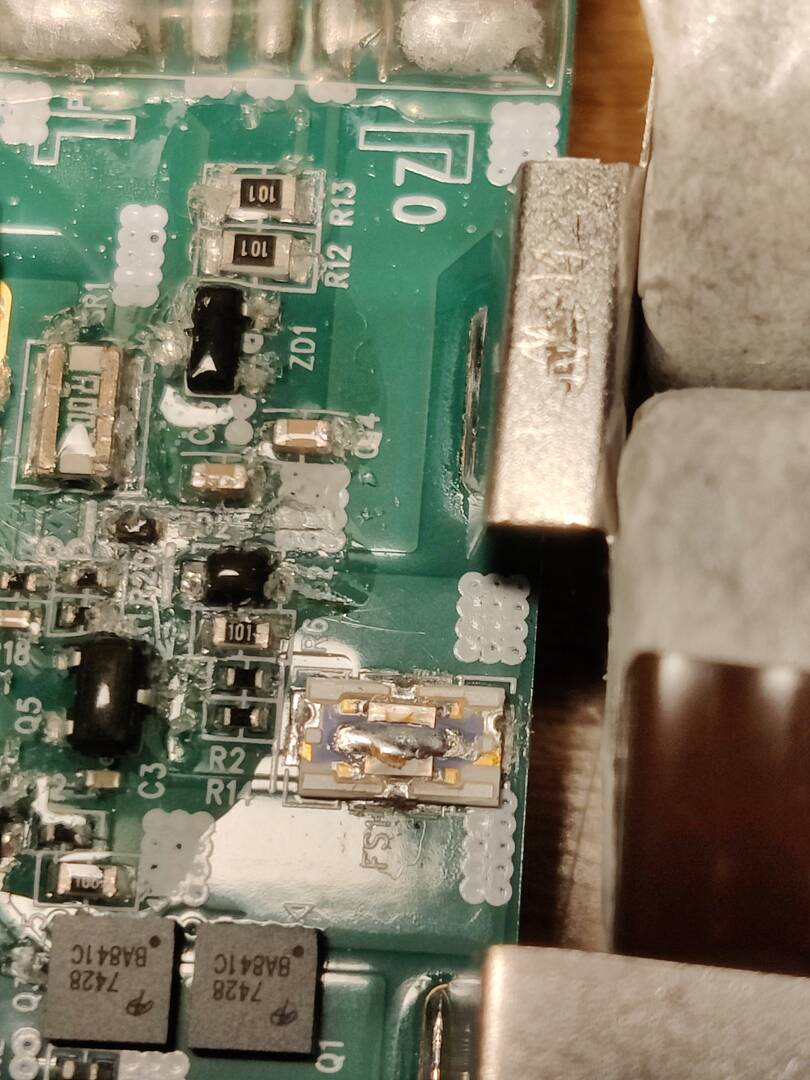
You have huge imbalance between the cells and also the fuse is blown.
The imbalance is not a problem because the cells can be indiidually charged or replaced but the blown fuse means that there is a PF(Permanet Failure) flag raised in the chip memory.
The only way to remove the PF flag is to unseal the chip and clear it with NLBA (depending on chip model) or the battery will never work again no matter what you do.
Even if you restore the fuse now and balance the cells the battery 99% will not work.
Can you check what is the chip just to confirm that is supported by NLBA for reset?
Should be BQ40Z5XX.
that's sad to know, i was hoping that the fuse restauration might work...
excuse my ignorance torture, but that chip you told me to check is located where?
at the battery i can only see that those 4 chips in center of pbc are 7428 BA841C, the largest one on oposite side from connector has nothing on it
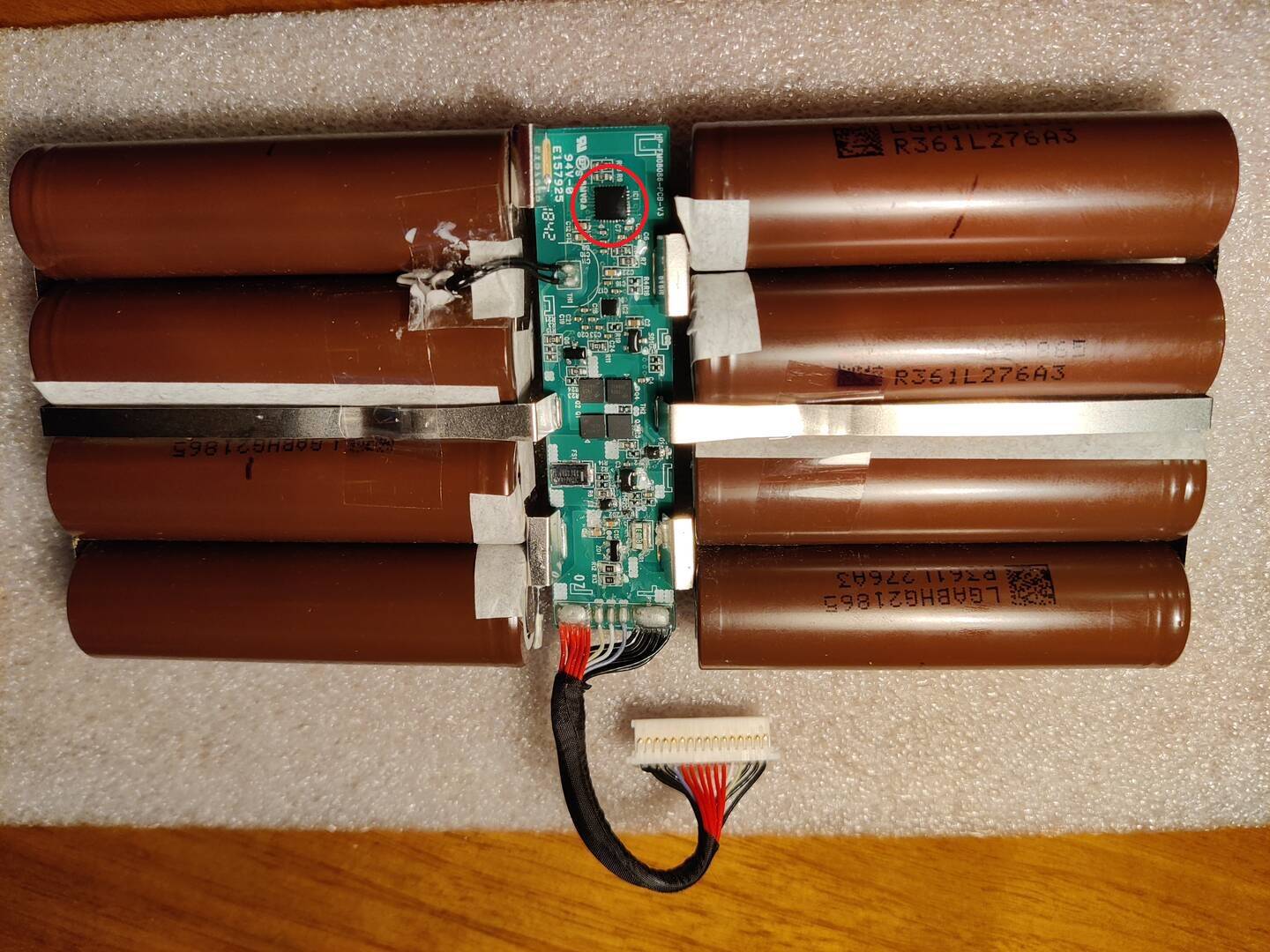
It's this one.
It's covered with varnish so you need to look very close under strong light and you will see the markings.
Latest Post: Asus A32F52 battery has 0V cell 3 voltage after replacing old cells Our newest member: Nazir Ahmed Khwaja Recent Posts Unread Posts
