


Please follow forum rules!
- Use the forum search option to find the answer to your question. There are hundreds of topics on the forum where the same question could be asked and successfully resolved
- If the same question cannot be found, create a new topic. Don't post in the other non-relevant threads
- Topic title should contain battery brand, type, chip name and your question. Mixing different battery types in one thread is not allowed. For another battery, create another topic
- The first post should contain a snapshot from the BatInfo Tab
- Reset or Unlock related questions should contain a snapshot from the Reset Tab, where all steps are logged
- The first post should contain text explaining the issue
- All snapshots should be taken using a dedicated GUI button
- Using a smartphone to take snapshots of a PC monitor is not allowed
@loliconic sorry i didnt understand can u direct me please?
its ok
System Present Pin is a pin on a laptop or device battery connector that tells the motherboard that the battery is connected and present. Without this signal, the laptop may think there is no battery. This system present pin needs to be connected to ground.
You can paste a picture with the battery connector so I can help you connect it.
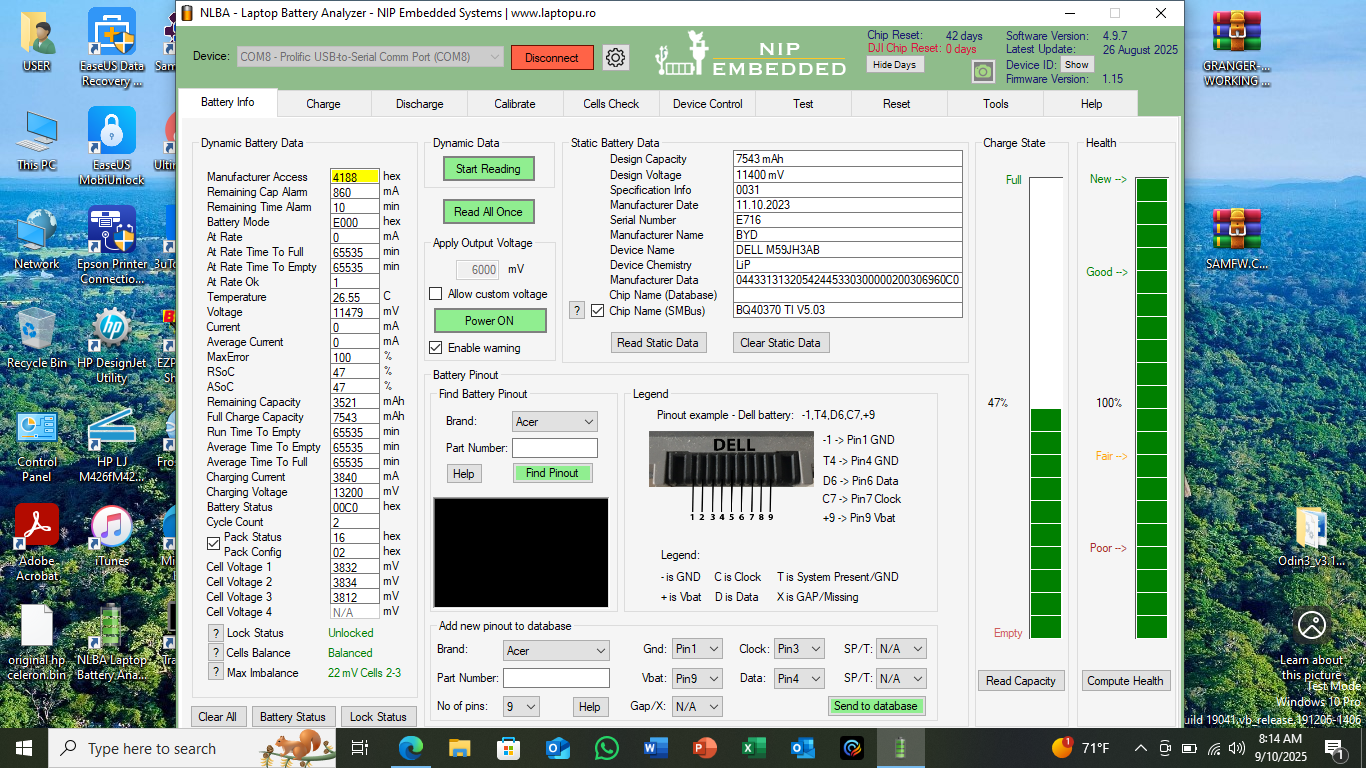
thank you for the reply i found that present pin but i still unable to charge the battery the status as shown please any advice
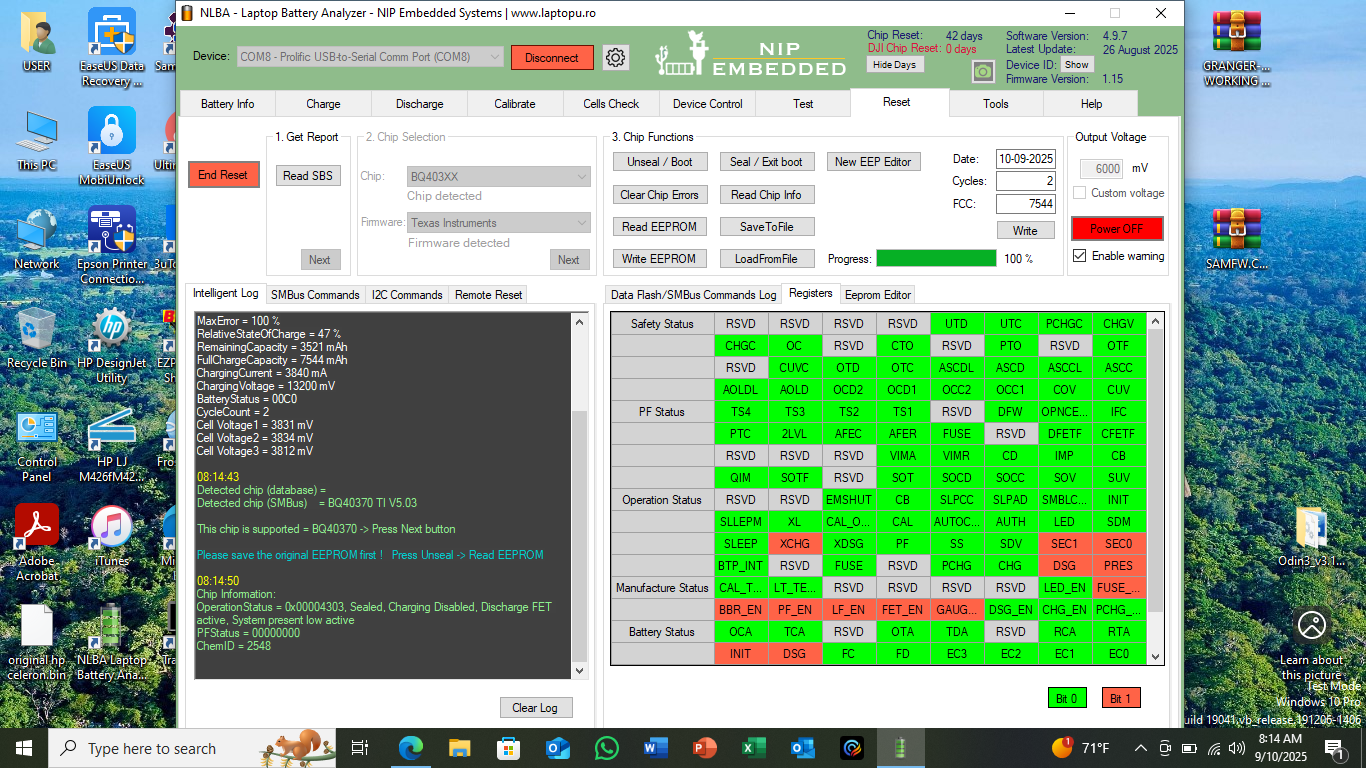
MaxError = 100 %
RelativeStateOfCharge = 47 %
RemainingCapacity = 3521 mAh
FullChargeCapacity = 7544 mAh
ChargingCurrent = 3840 mA
ChargingVoltage = 13200 mV
BatteryStatus = 00C0
CycleCount = 2
Cell Voltage1 = 3831 mV
Cell Voltage2 = 3834 mV
Cell Voltage3 = 3812 mV
0843
Detected chip (database) =
Detected chip (SMBus) = BQ40370 TI V5.03
This chip is supported = BQ40370 -> Press Next button
Please save the original EEPROM first ! Press Unseal -> Read EEPROM
0850
Chip Information:
OperationStatus = 0x00004303, Sealed, Charging Disabled, Discharge FET active, System present low active
PFStatus = 00000000
ChemID = 2548
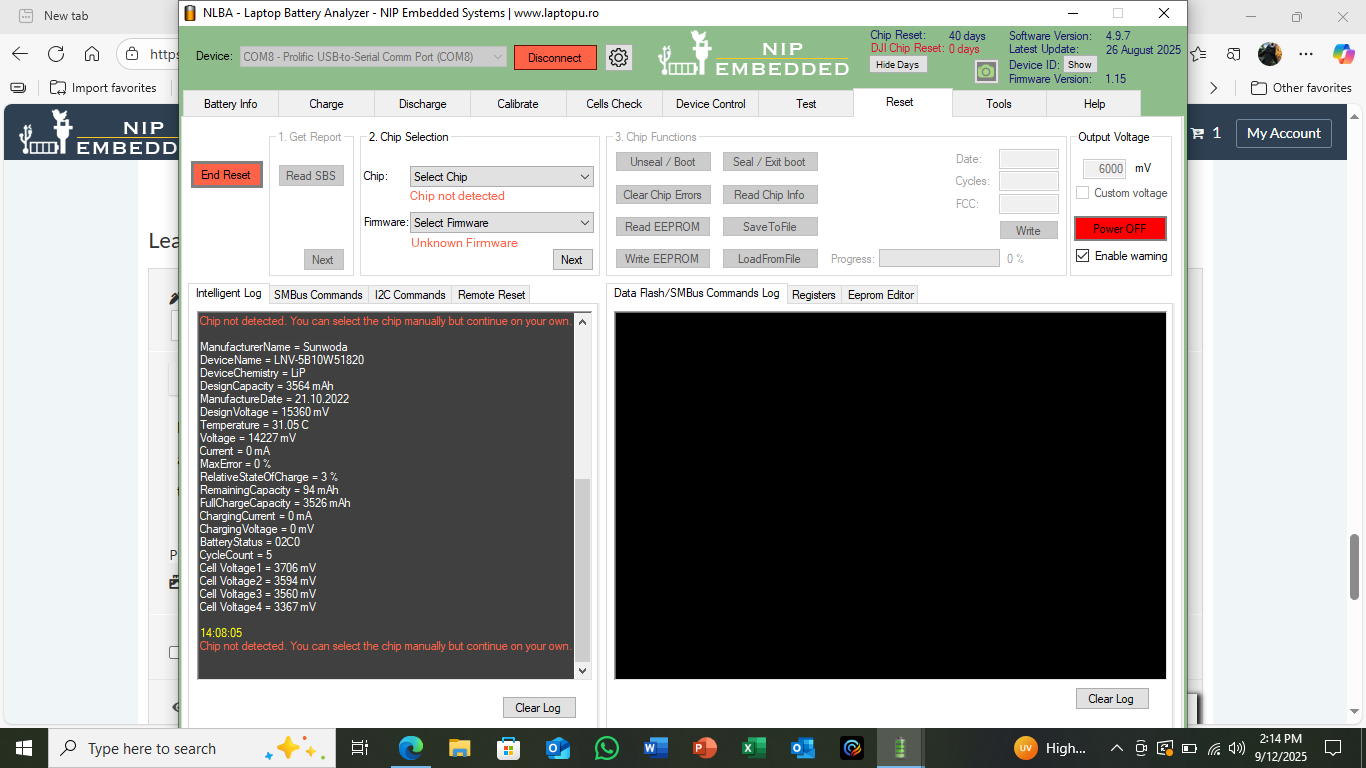
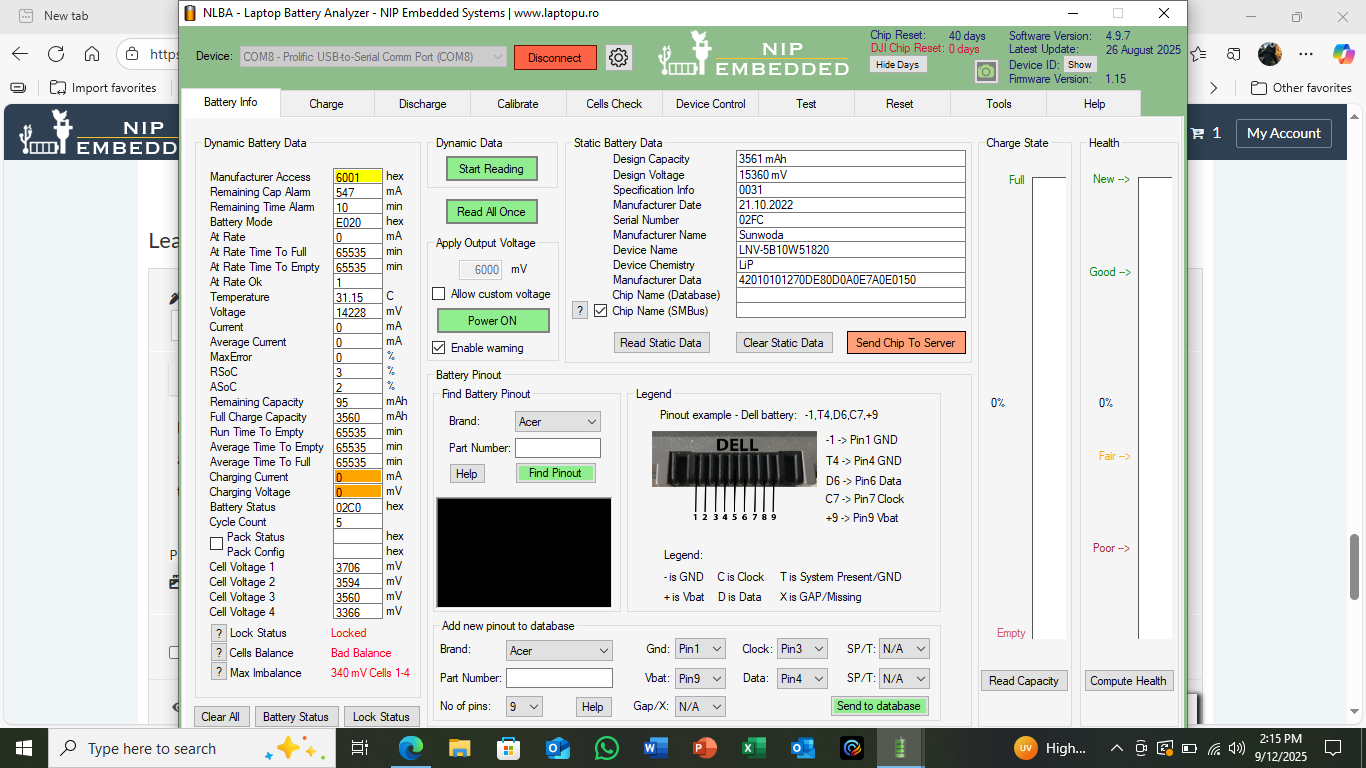
hello loliconic i solved the dell battery problem i have a lenovo battery model name L20D4P73 THE PROGRAM CANT detect the chip to reset
any advice please
thank you
Latest Post: Asus A32F52 battery has 0V cell 3 voltage after replacing old cells Our newest member: Nazir Ahmed Khwaja Recent Posts Unread Posts
