

Hi,
first - unsealing is working (it seems so).

After clearing the errors the battery is still not charging or discharging:

But there is a problem. For a further validation i tried to write the eeprom:

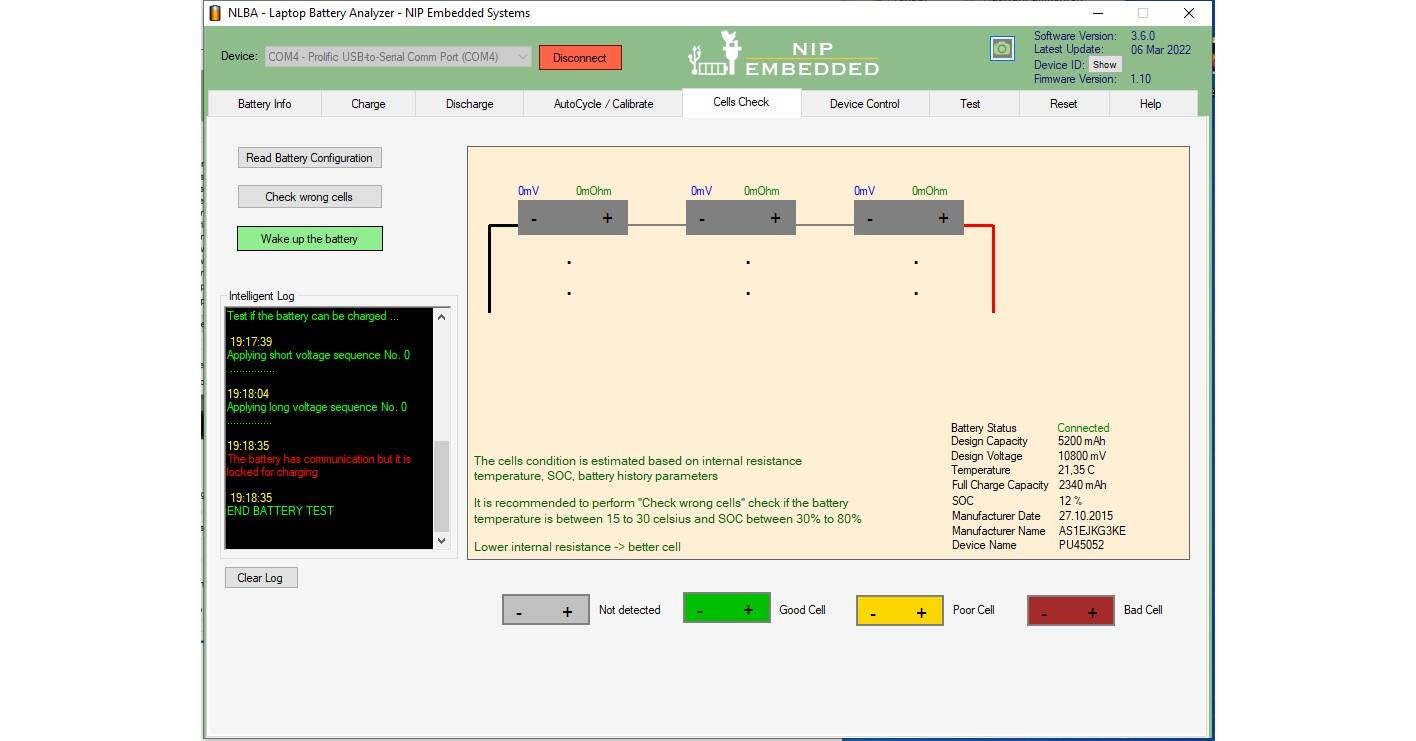
After a cell check the software is telling me that ther battery is still locked for charging:
BTW: Here is the correct pinout. The pinout in your database does not work.

This is a battery delivered by Asus together with the laptop. It is authentic. This pinout is also working with a original spare battery i've tested too.
And here we have the battery info after the unlocking:

Everything looks fine - but also beside not charing and uncharing the "Output LED" is still off!

Note: After clearing errors the chip gets back sealed, so this is the reason why you could not read the eeprom (error 3).
1. Have you checked the fuse ?
2. Your cells don't look good, they have a big imbalance, see:

It's always so difficult to open the batteries without damaging the housing. So I didn't check the fuse. The customer bought a new battery to save time. I just wanted to bring the battery back to life for my educational purposes. Sometimes it's more important to just learn something. 
Therefore, it does not matter how well the battery works and that the cells are not balanced. Sometimes the balance will be much better after a autocycle. Don't know how long this battery isn't working proper any more.
Did you see that the pinout in the database is wrong for this battery?
Did you see that the pinout in the database is wrong for this battery?
I see a pinout, I cannot say it is correct or not since I don't have the battery to test it.
If you say it is wrong then I can update it.
The pinout in you database is not correct.
I hope i have the time to check the fuse before my 10 day period for the chip reset ends... So busy with other more important things.
Hi again,
i soldered out the fuse because i could'nt measure it. The fuse has 4 solder contacts - do you know which of this 4 pins are the fuse? 2 pins on the downside has a substance on the PCB. On the top are some solder points without any connections? Only one seems to go back to the battery PCB.
I can't see anything on the PCB because they printed all white!! 
It's so tiny so it could be a problem sending a photo... OMG!
Here some photos of the PCB:


Fuse is already soldered out.
Do you have any idea where to make a short to bridge the fuse? Does'nt matter if anything breaks down... 

Fuse can be measured with ablolutely no problems without desoldering.
I don't understand clearly what have you done so post a photo of the PCB and photo of the fuse.
There is also a fuse restoration tutorial How to recover a Laptop Battery Fuse 12AH3 (4 pins type)
Don't have the best tools for this job. Usually i don't repair batteries - just check, recalibrate and such things. I resoldered the fuse and melt some solder on the fuse contacts like the description in the link.
Now it is working. Thanks to all for the help!
You can check out my video tutorial to see how a 4 legs fuse type is represented:
.
Latest Post: Asus A32F52 battery has 0V cell 3 voltage after replacing old cells Our newest member: Nazir Ahmed Khwaja Recent Posts Unread Posts
