

Hi All,
Please see below issues unlocking.
pin out is
Connector 1:
Number of Pins: 10
Pinout: -1,T4,D6,C7,+10

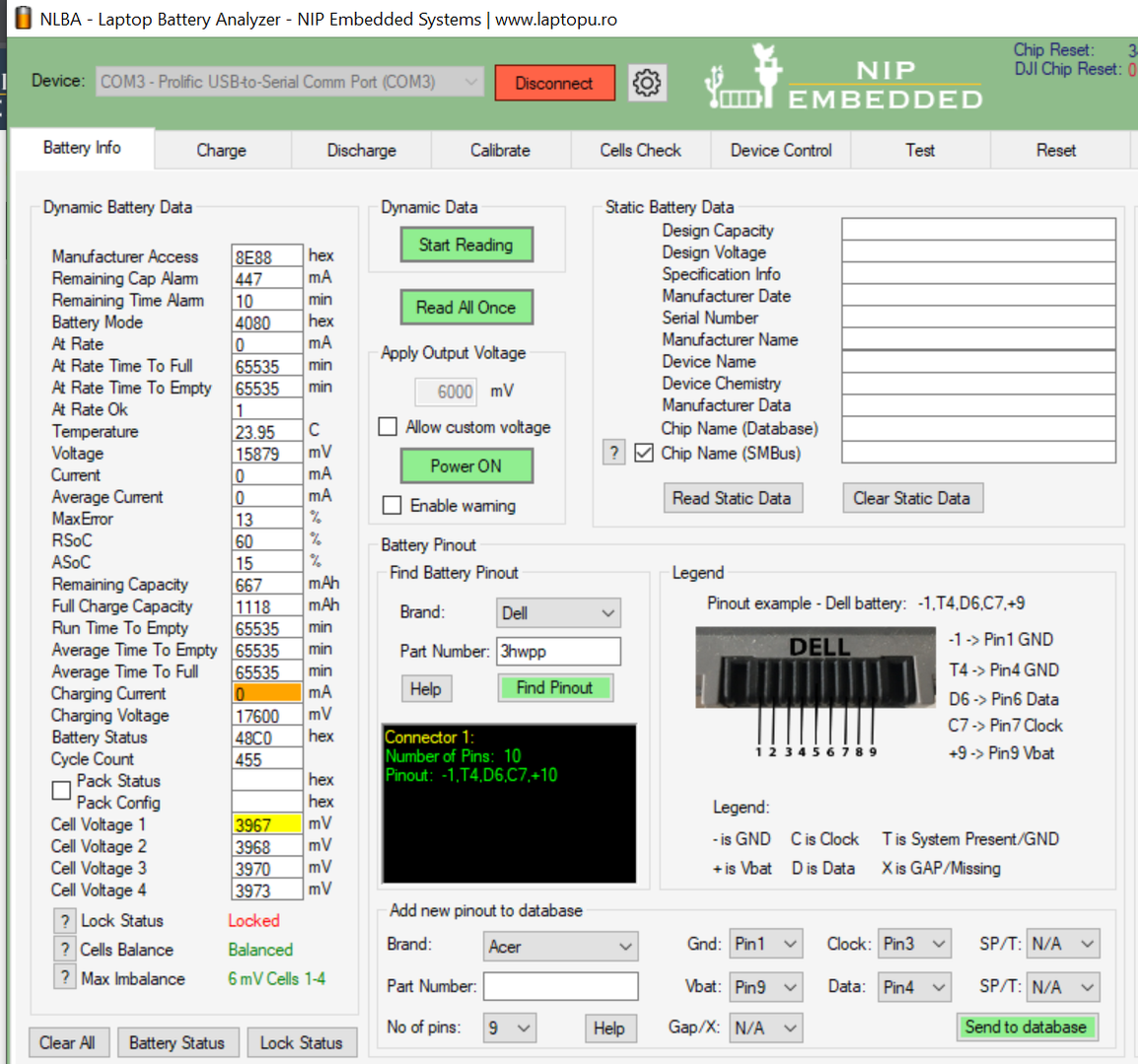

Why do you attach just some portions of the pictures ?
Attach full size pictures and describe the issue.
@azzido I used the button on the app this was what it got.... I now have used Snippy tool. already changed as I noticed myself.
Incomplete details, and missing static parameters in the second image. No details about the issue.

Battery is not locked.
Connect SP pin to gnd to enable charge/discharge.
Please follow forum rules.
Next time also include chip model in your topic title & include static data too in the screenshot.
@torture Sorry missed this..
also what is T 4 on the pin out?
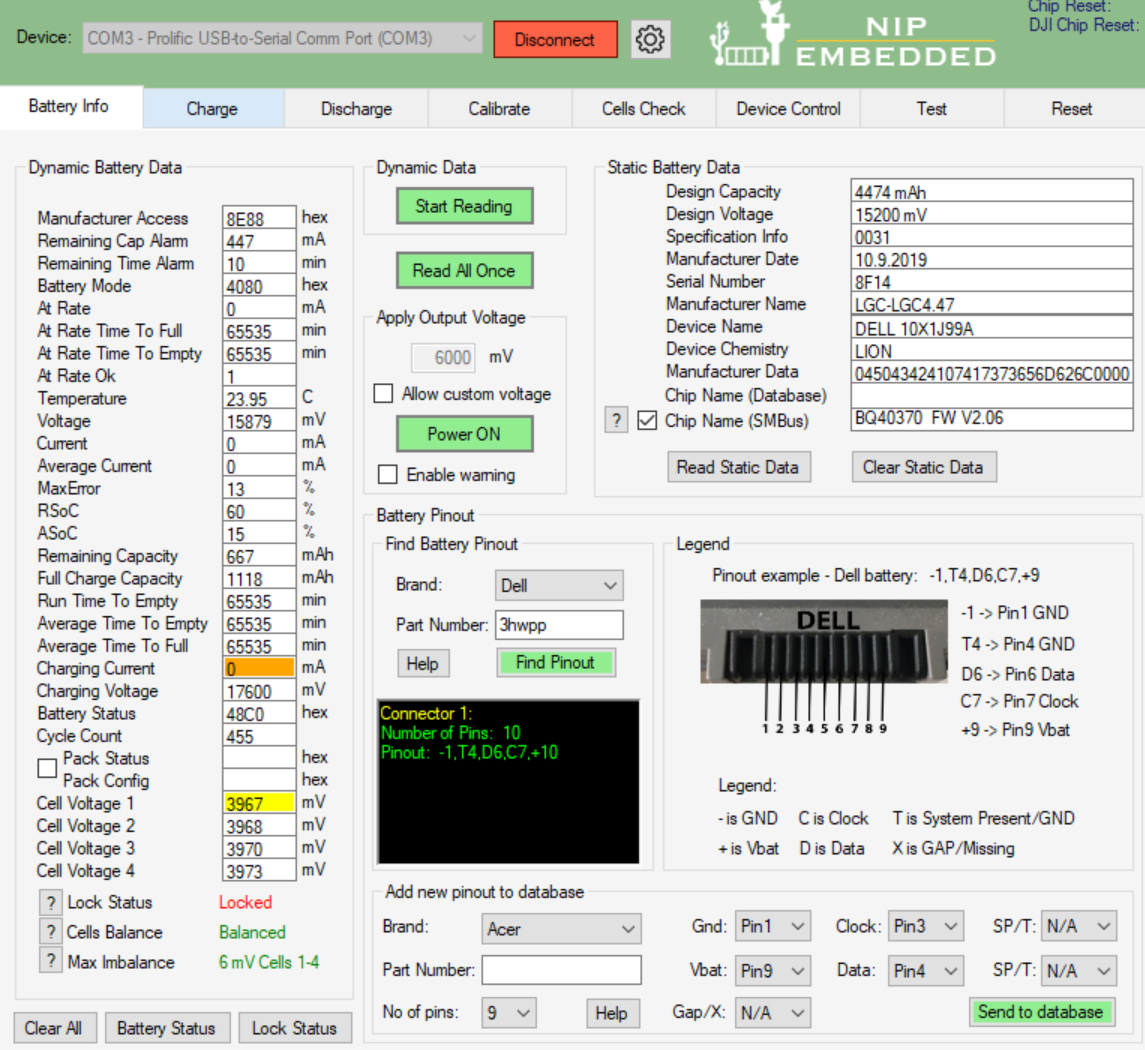
sorry will do next time..
When you say SP pin to gnd can you explain please sorry?
Just see T4 is Gnd
All good now Thanks Sorry again for my noob mistakes. Have a Nice day. 👍
Latest Post: Asus A32F52 battery has 0V cell 3 voltage after replacing old cells Our newest member: Nazir Ahmed Khwaja Recent Posts Unread Posts
