

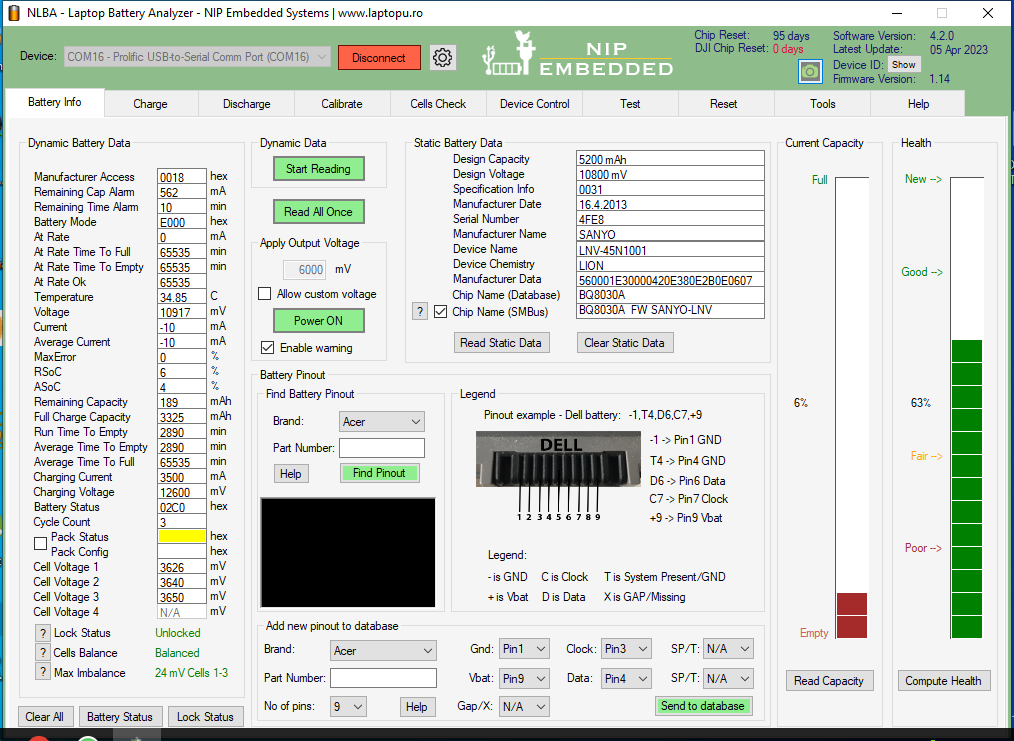
This battery is set to report capacity in mWh but NLBA converts it mAh so in order to set FCC to 5200mAh you have to set value for FCC in reset tab to 5620.

@torture sir after 2nd cycle health drop from 100% (5200mAh) to 75% after 3rd cycle health drop from 75% to 63% means that there is need to update some parameters to stable the battery.
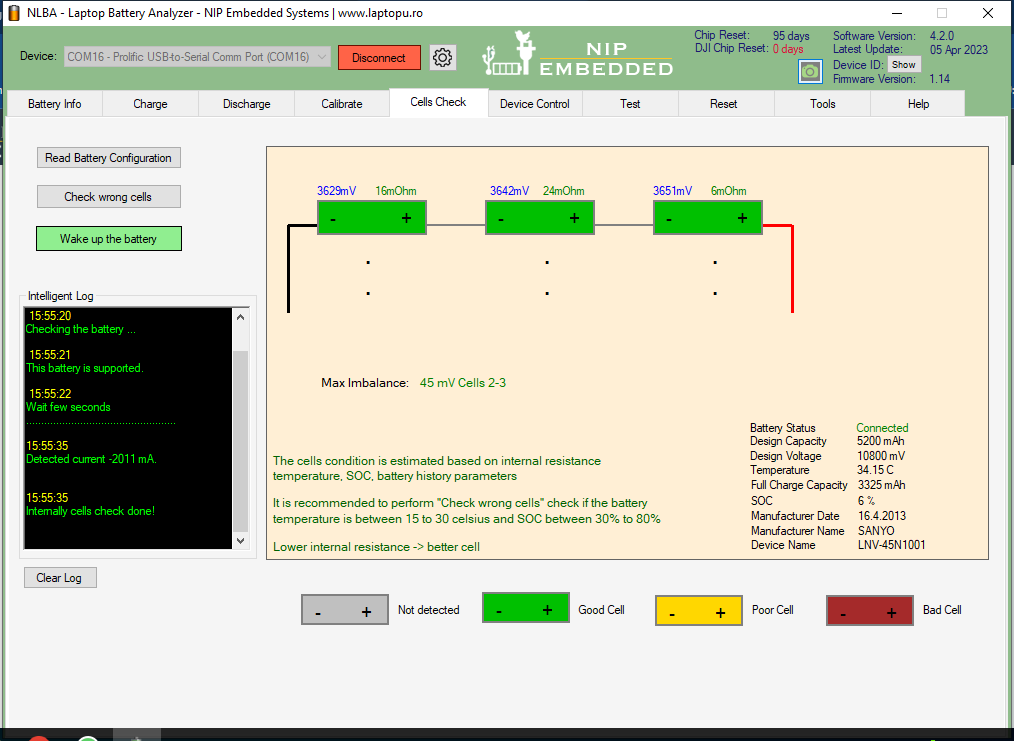
Attach the calibration log
it is discharge on laptop.
Run calibration cycle in NLBA and attach the log to inspect it.
Otherwise there is no way to see what is going on.
@torture okay what will be the charge and discharge rate for this 6 cell battery?
2000mA charge
1000mA Discharge
Is this sufficient for calibration cycle?

Charge rate is adjusted by chip request to Nlba1. There is no need to adjust it manually. Also charge rate does not influence capacity calibration.
Discharge rate should be aligned with laptop consumption. Otherwise chip could not be calibrated properly. Big discharge rate will underestimate capacity while small rate will overestimate it.
So check laptop specification to find out consumption power or runtime on battery power.
@djibattworkshop it is taking too much time to charge. I am going to discharge it using the discharge tab to share the state with you
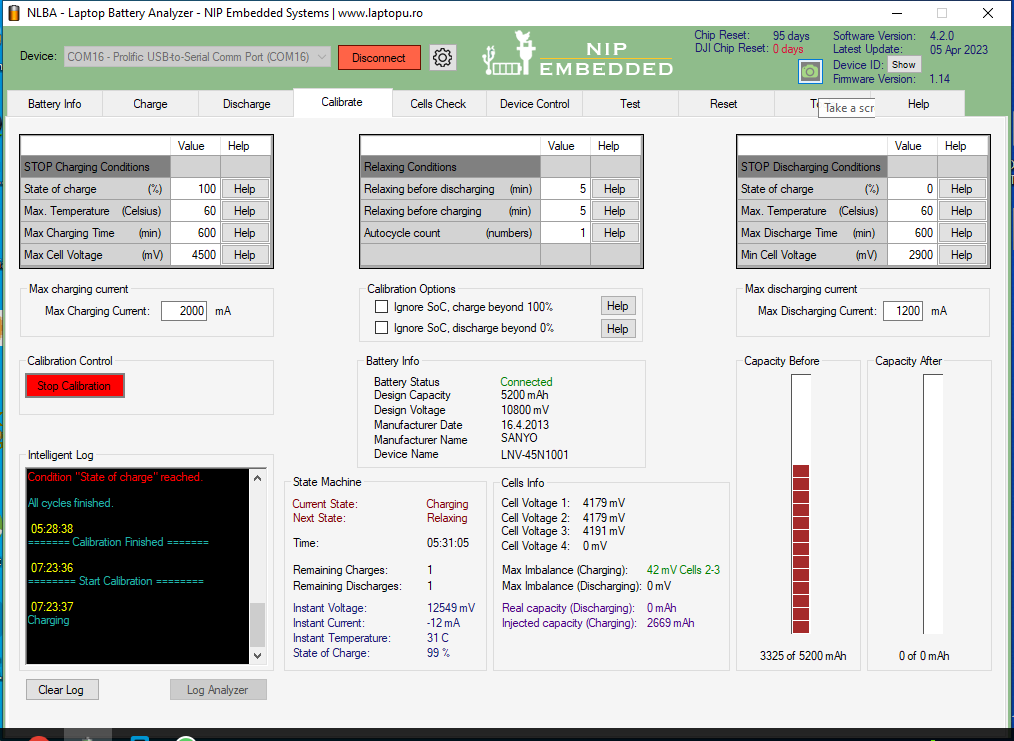
@djibattworkshop It could not reach 100% because it reached some 400mA and then drop to -12mA repeatedly at 99%.
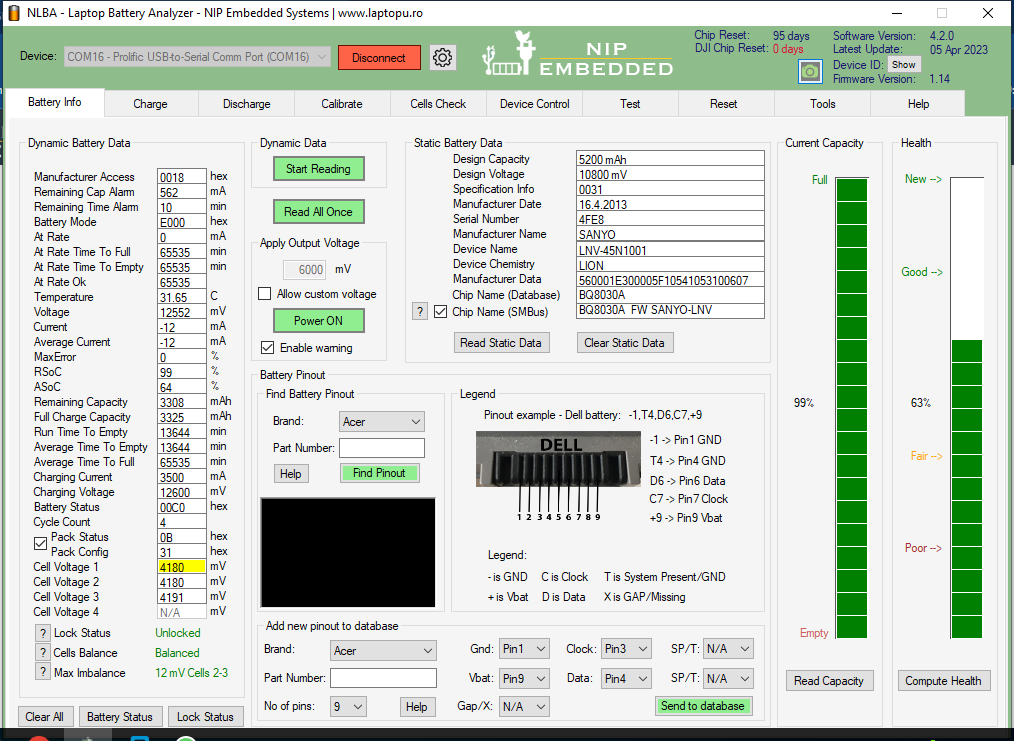
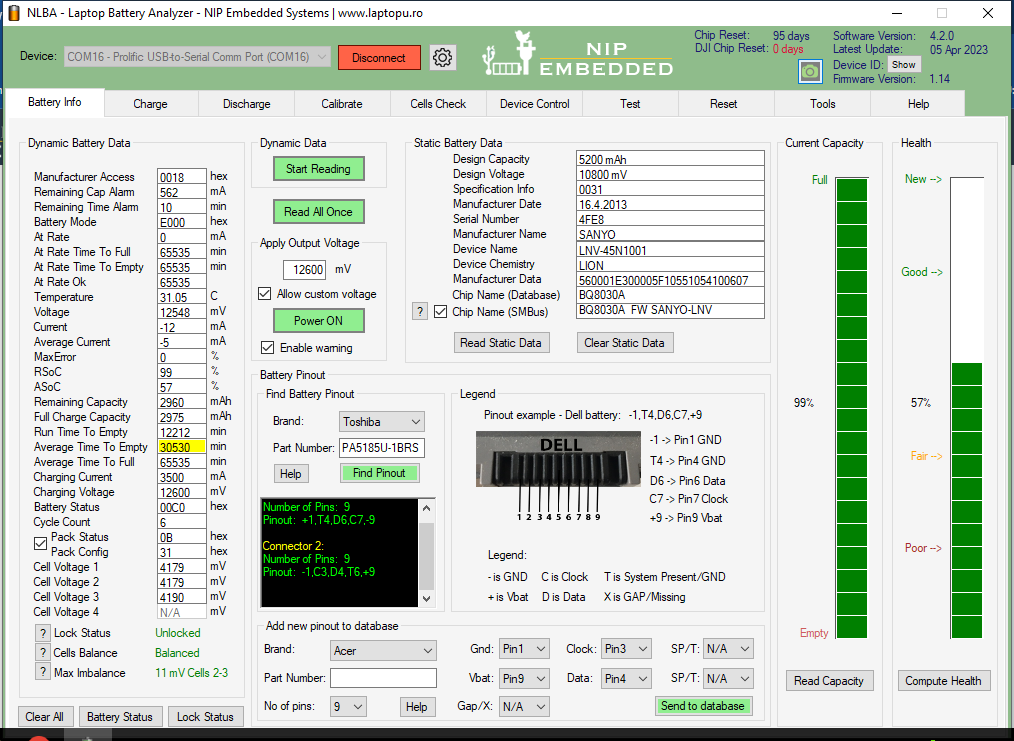
Set 12600 on "Apply Output Voltage" option, then press "Power On" button. Wait until RSoC reachs 100% value.
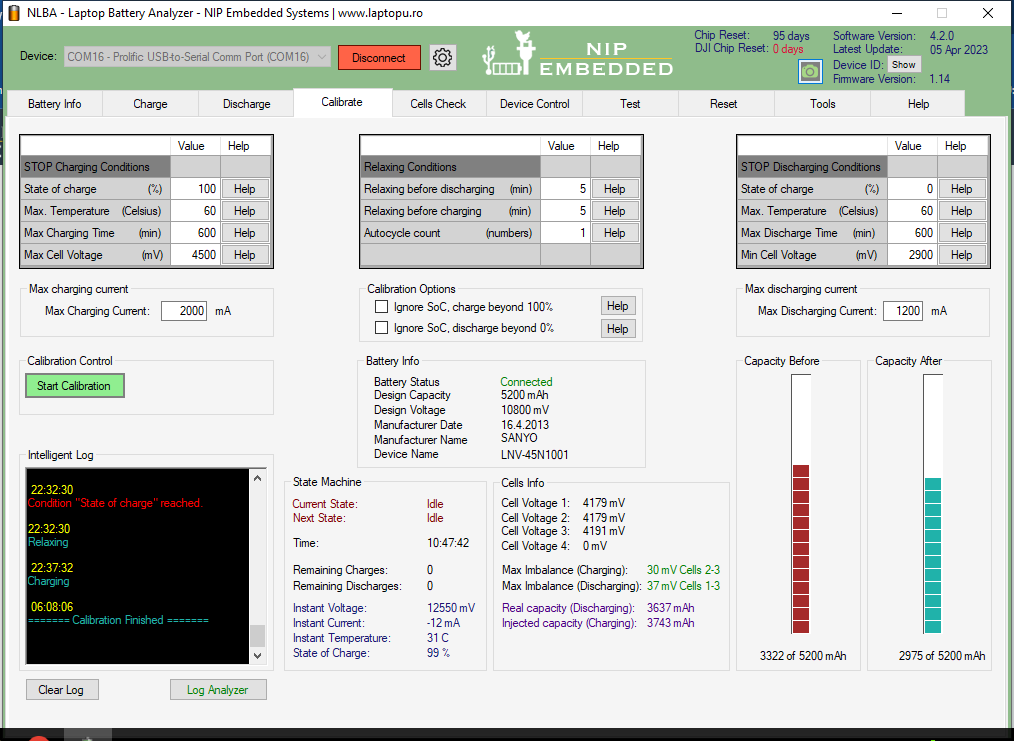
You attach only small part of the log which is not enough to analyze the ussue.
Attach the full discharge log form 100% SOC to 0%.
Choose IGNORE SOC option when discharging.
@torture Actually it stops at 99% while charging means charging could never completed whic can cause un complete calibration. I have tried two time while I was off from business place but it stuck on 99%.
Latest Post: Asus A32F52 battery has 0V cell 3 voltage after replacing old cells Our newest member: Smandeson11 Recent Posts Unread Posts
