Notifications
Clear all

Trouble unlocking the Dell battery chip J7KGM35K

Page 1 / 2
Aghababaei
(@aghababaei)
Reputable Member Customer
image

Hello dear support team
The battery is fine, but the chip does not open.

ReplyQuote
Topic starter Posted : 17/01/2024 5:28 pm
torture
(@torture)
Member Moderator

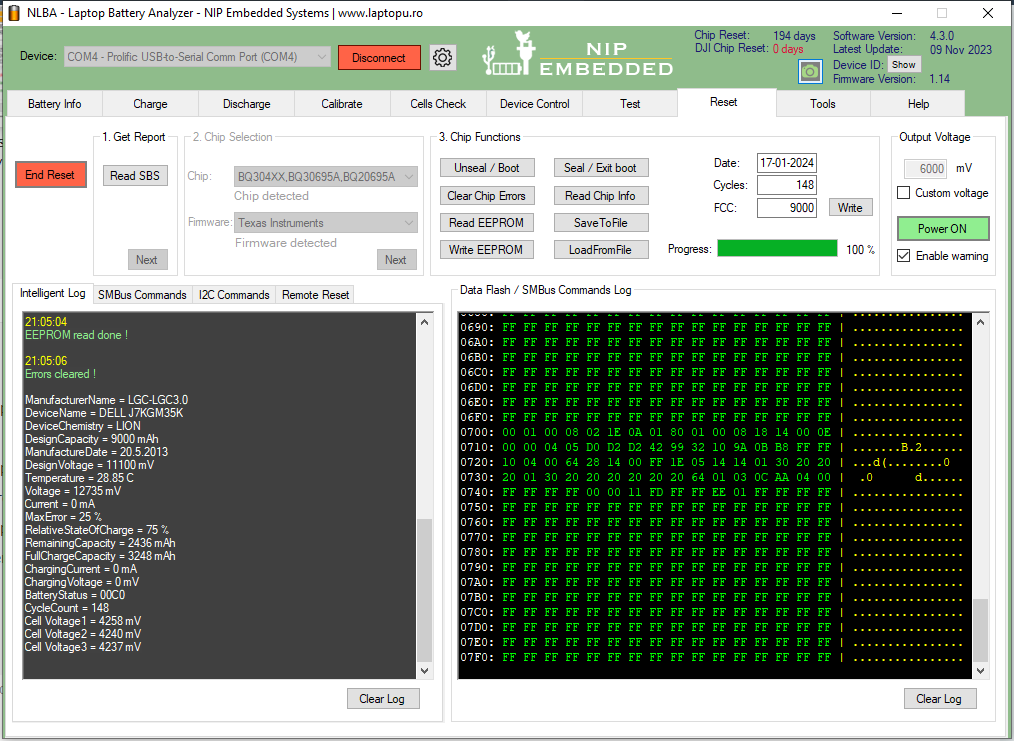
Go to reset tab.

1. Read chip info

2. Unseal

3. Read chip info

4. Clear errors

5. Read chip info

Paste screenshot.
ReplyQuote
Posted : 17/01/2024 5:31 pm
Aghababaei
(@aghababaei)
Reputable Member Customer

@torture

image


ReplyQuote
Topic starter Posted : 17/01/2024 5:35 pm
torture
(@torture)
Member Moderator

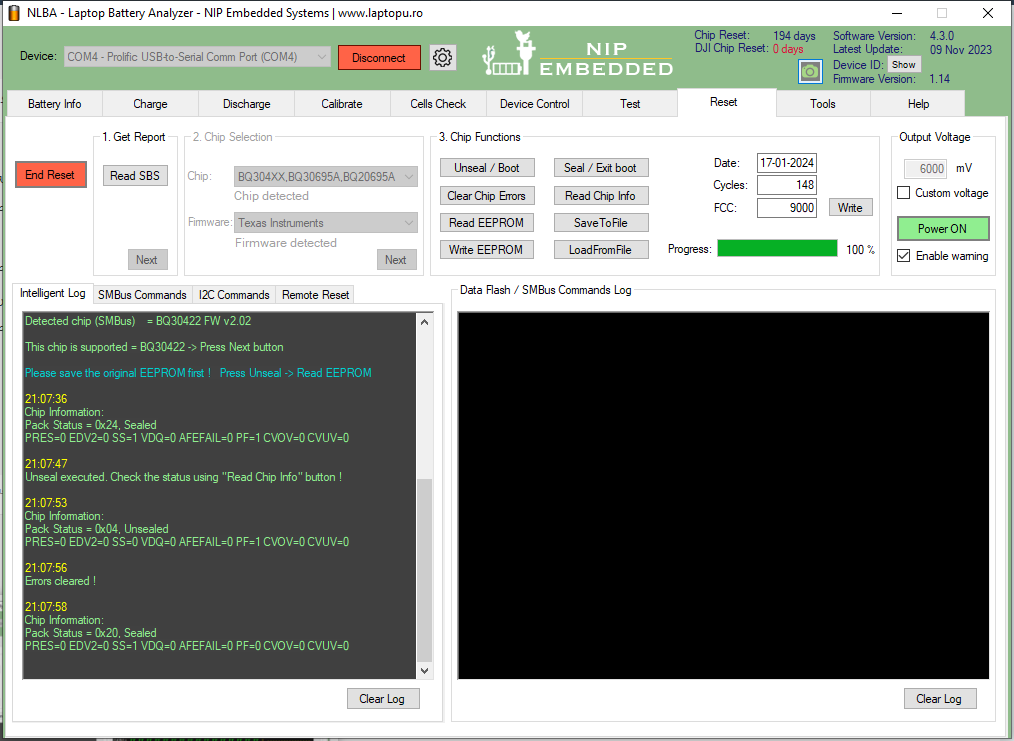
You did not follow what you were asked to do.
ReplyQuote
Posted : 17/01/2024 5:36 pm
Aghababaei
(@aghababaei)
Reputable Member Customer

@torture

image

Did I do it right now?

ReplyQuote
Topic starter Posted : 17/01/2024 5:38 pm
torture
(@torture)
Member Moderator

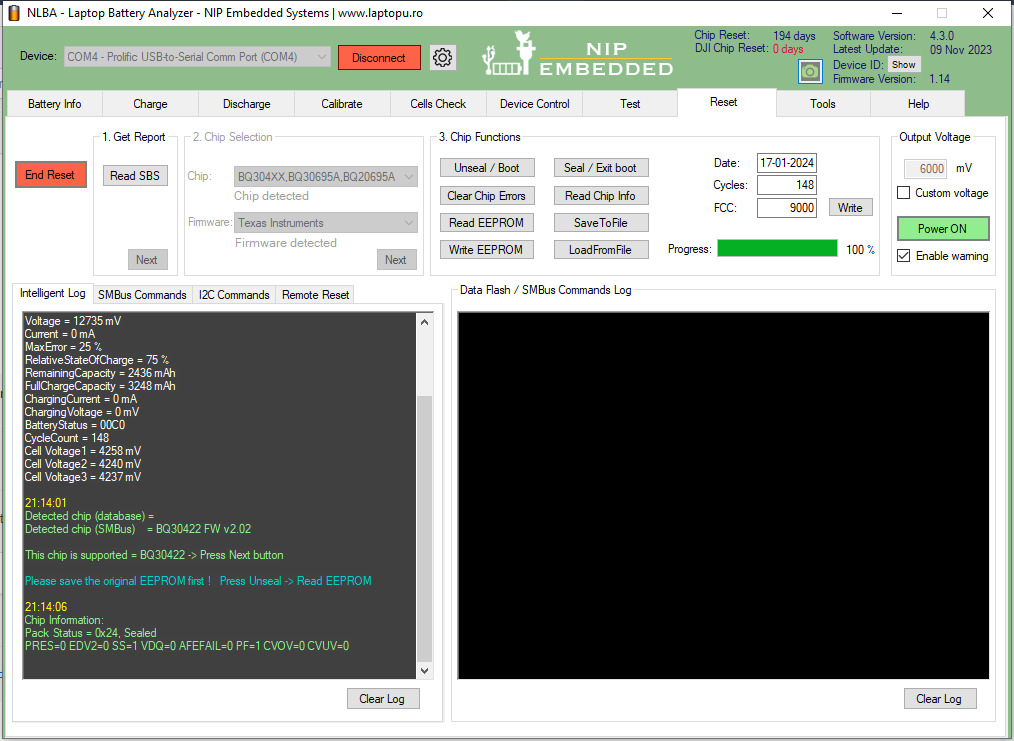
Yes. Before PF status was 1 now after clearing it PF status is 0 so if there are no other issues battery should be working.

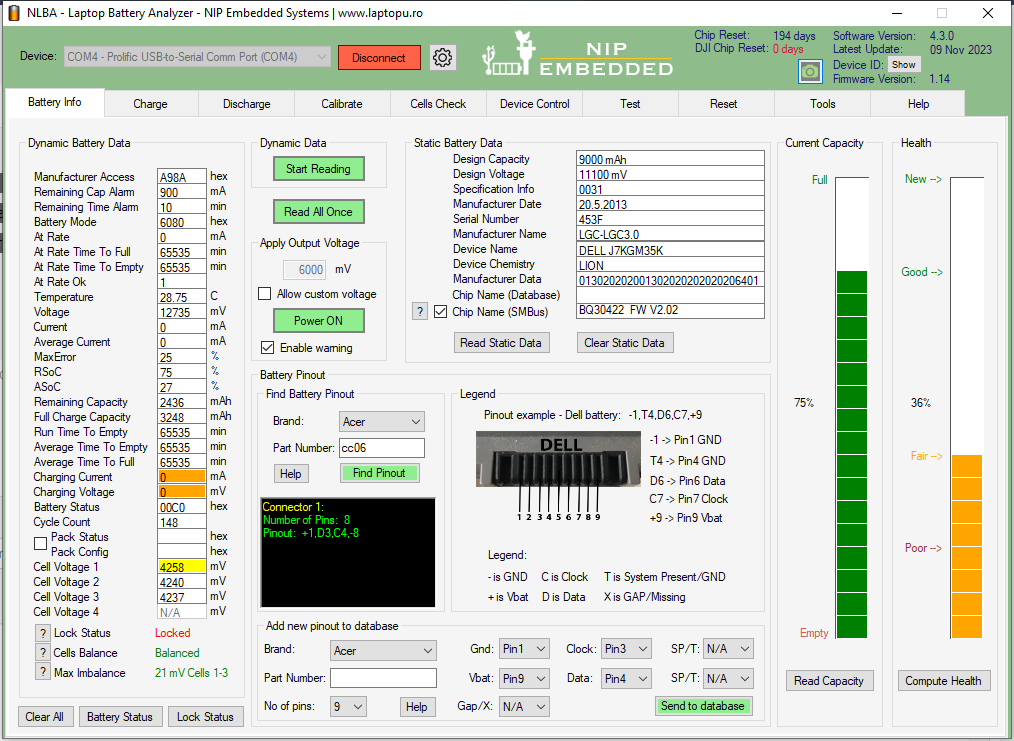
Post updated screenshot from battery info tab.

Also go to reset tab again and read chip info again to see if the battery was relocked.
ReplyQuote
Posted : 17/01/2024 5:42 pm
Aghababaei
(@aghababaei)
Reputable Member Customer

@torture

image
image


ReplyQuote
Topic starter Posted : 17/01/2024 5:44 pm
torture
(@torture)
Member Moderator

So the battery keep relocking itself.

You have some kind of hardware issue on the PCB most probably.

First thing you can do is to check the fuse.

ReplyQuote
Posted : 17/01/2024 5:57 pm
Aghababaei
(@aghababaei)
Reputable Member Customer

@torture Hello again
I checked the fuse, there was no problem

ReplyQuote
Topic starter Posted : 17/01/2024 5:59 pm
torture
(@torture)
Member Moderator

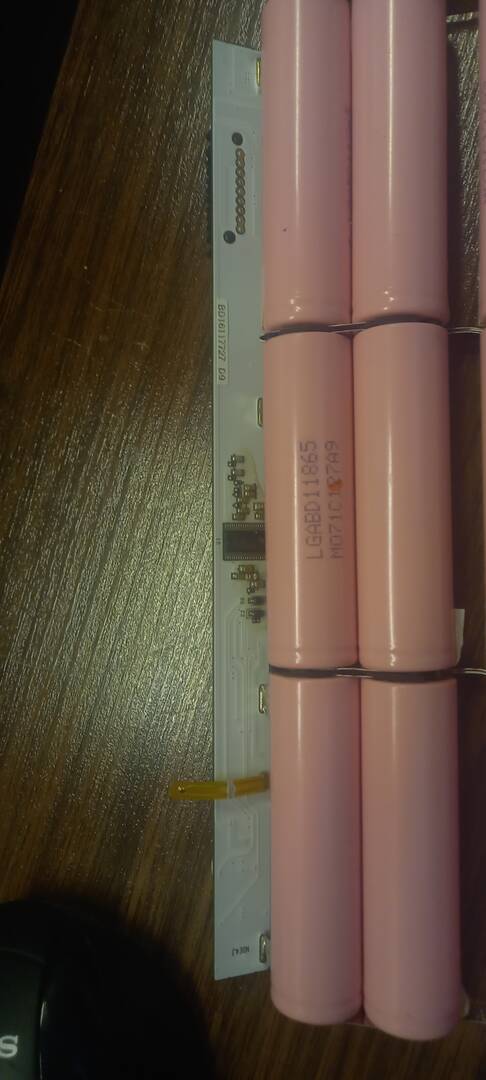
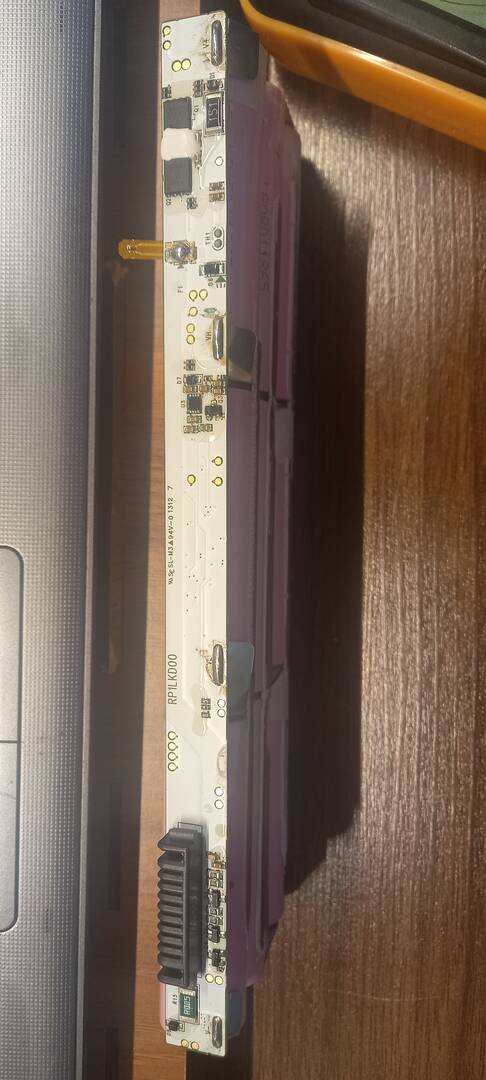
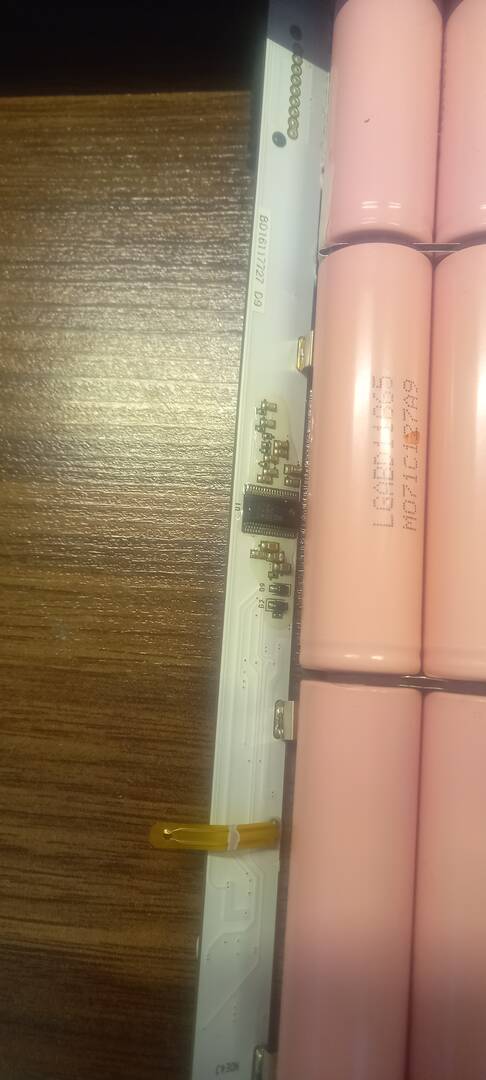
Post good quality close up photos of both sides of the PCB.
ReplyQuote
Posted : 17/01/2024 6:01 pm
Aghababaei
(@aghababaei)
Reputable Member Customer


17055146712144245596024418038444

@torture

 ۲۱۳۲۱۰
 ۲۱۳۱۵۲


ReplyQuote
Topic starter Posted : 17/01/2024 6:03 pm
torture
(@torture)
Member Moderator


Posted by: @amin-technology

I checked the fuse, there was no problem

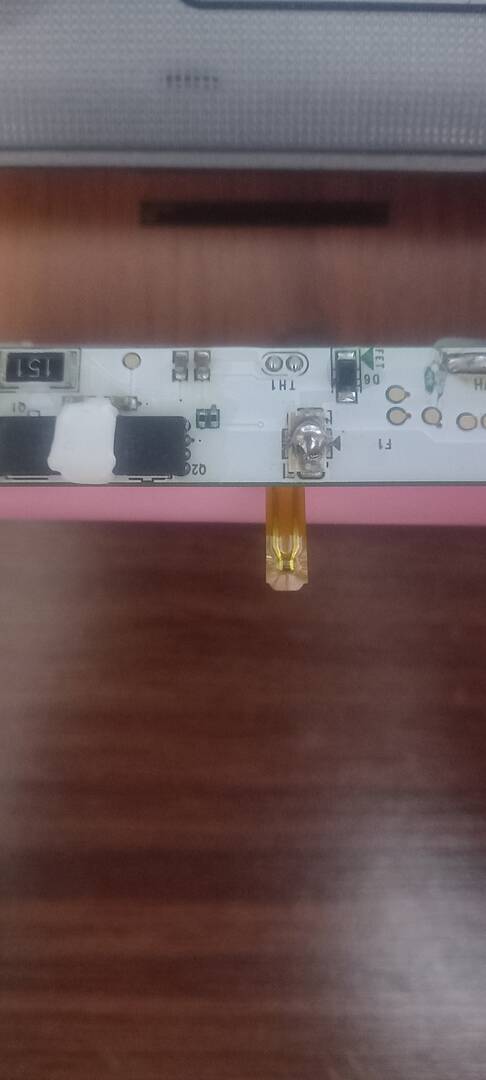
Why you never mentioned it was blown and restored?

Post close up photo to inspect it.
 

ReplyQuote
Posted : 17/01/2024 6:09 pm
Aghababaei
(@aghababaei)
Reputable Member Customer

@torture Hello, I first thought that the fuse was faulty, so I repaired it

17055150163785188879412407776745


ReplyQuote
Topic starter Posted : 17/01/2024 6:11 pm
torture
(@torture)
Member Moderator

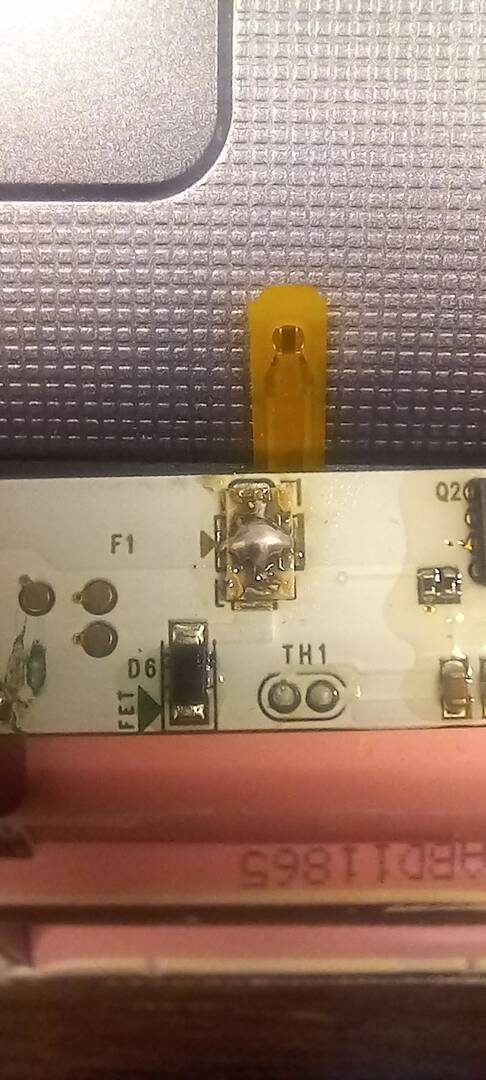
The photo is not close and clear enough but it looks like you have bridged all 4 sides of the fuse which is wrong.

Check the fuse restoration tutorial and do it properly.
ReplyQuote
Posted : 17/01/2024 6:19 pm
Aghababaei
(@aghababaei)
Reputable Member Customer

@torture

 ۲۲۰۱۲۰

I modified it based on the tutorial


ReplyQuote
Topic starter Posted : 17/01/2024 6:32 pm
Page 1 / 2
Share: