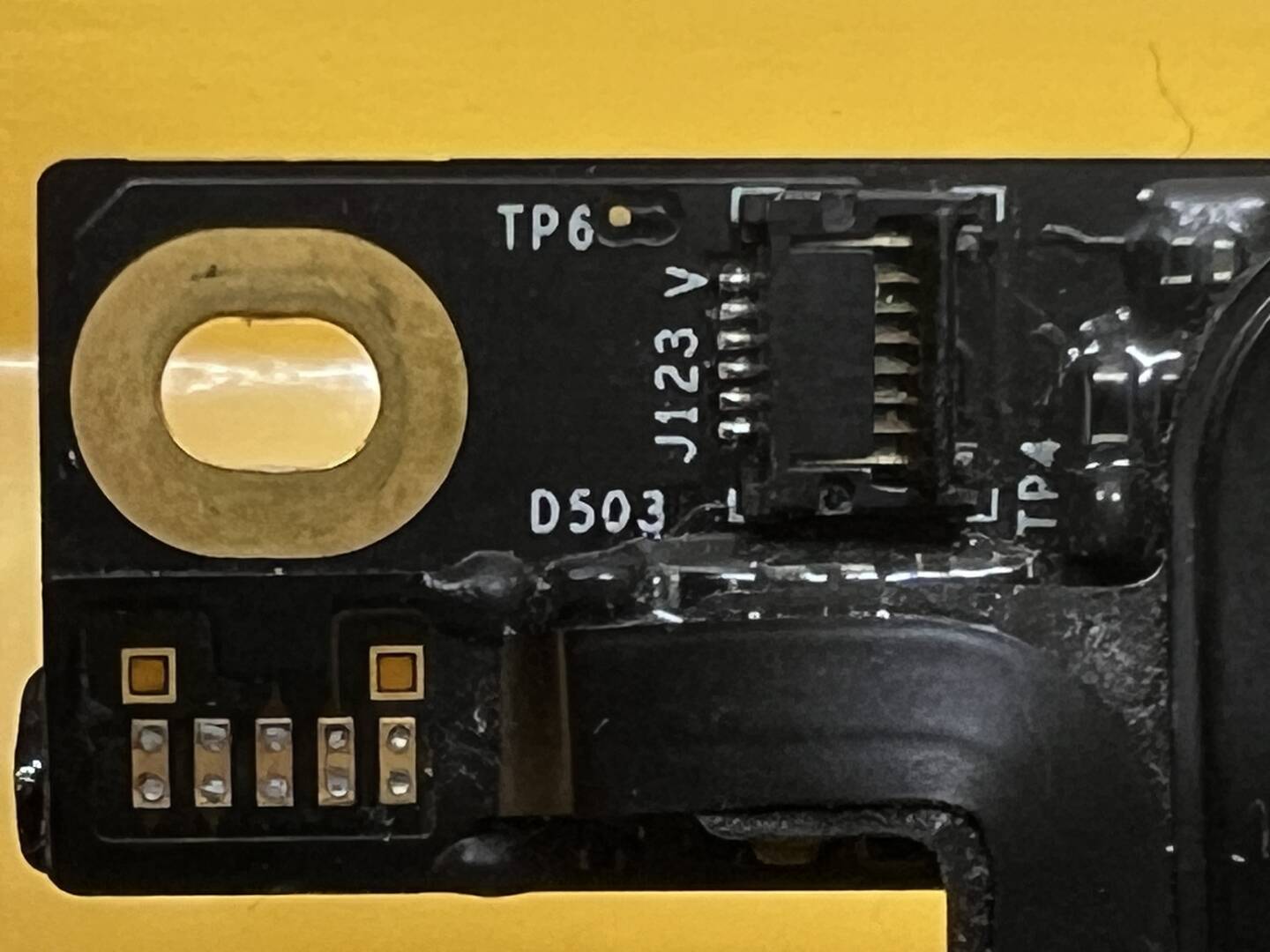
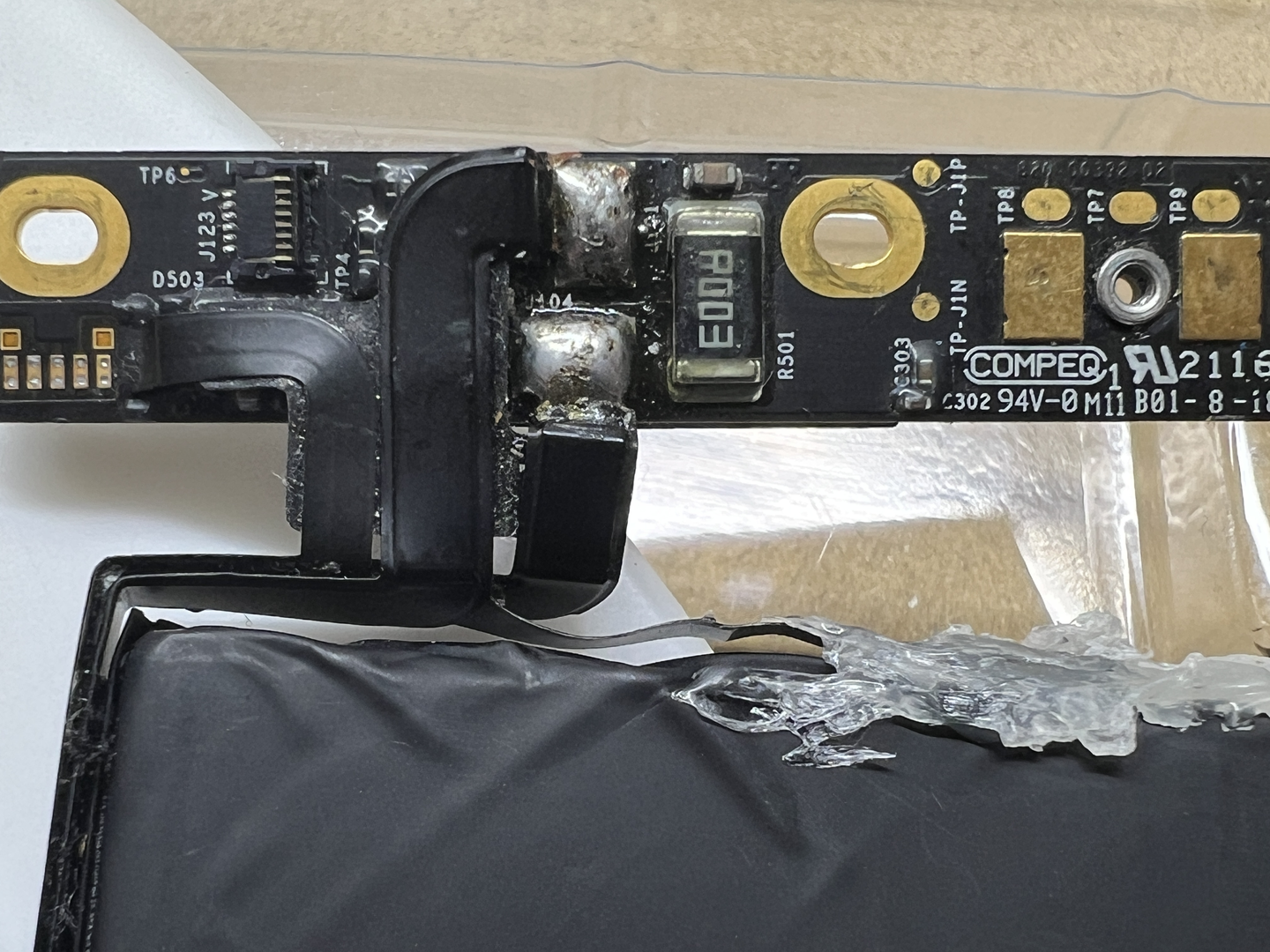
Does somebody know the correct pinout for this battery? I have searched over the forum and there is little info to clarify the correct pinout for this exact battery. Mixed posts found but none that i tried have worked
The laptop for this battery is Macbook Pro 13 A1708 (2016 & 2017)
The actual battery model written on the battery is A1713
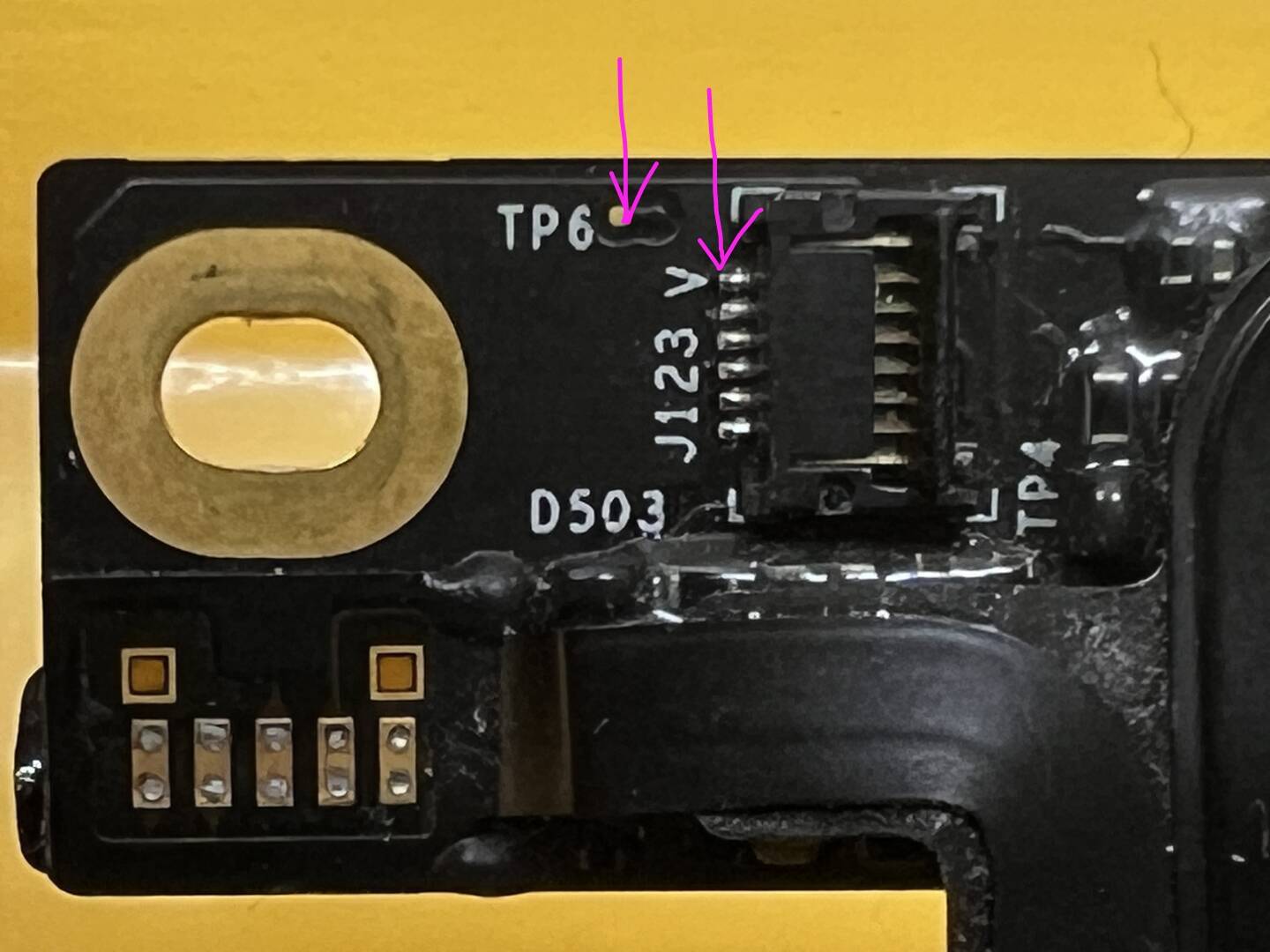
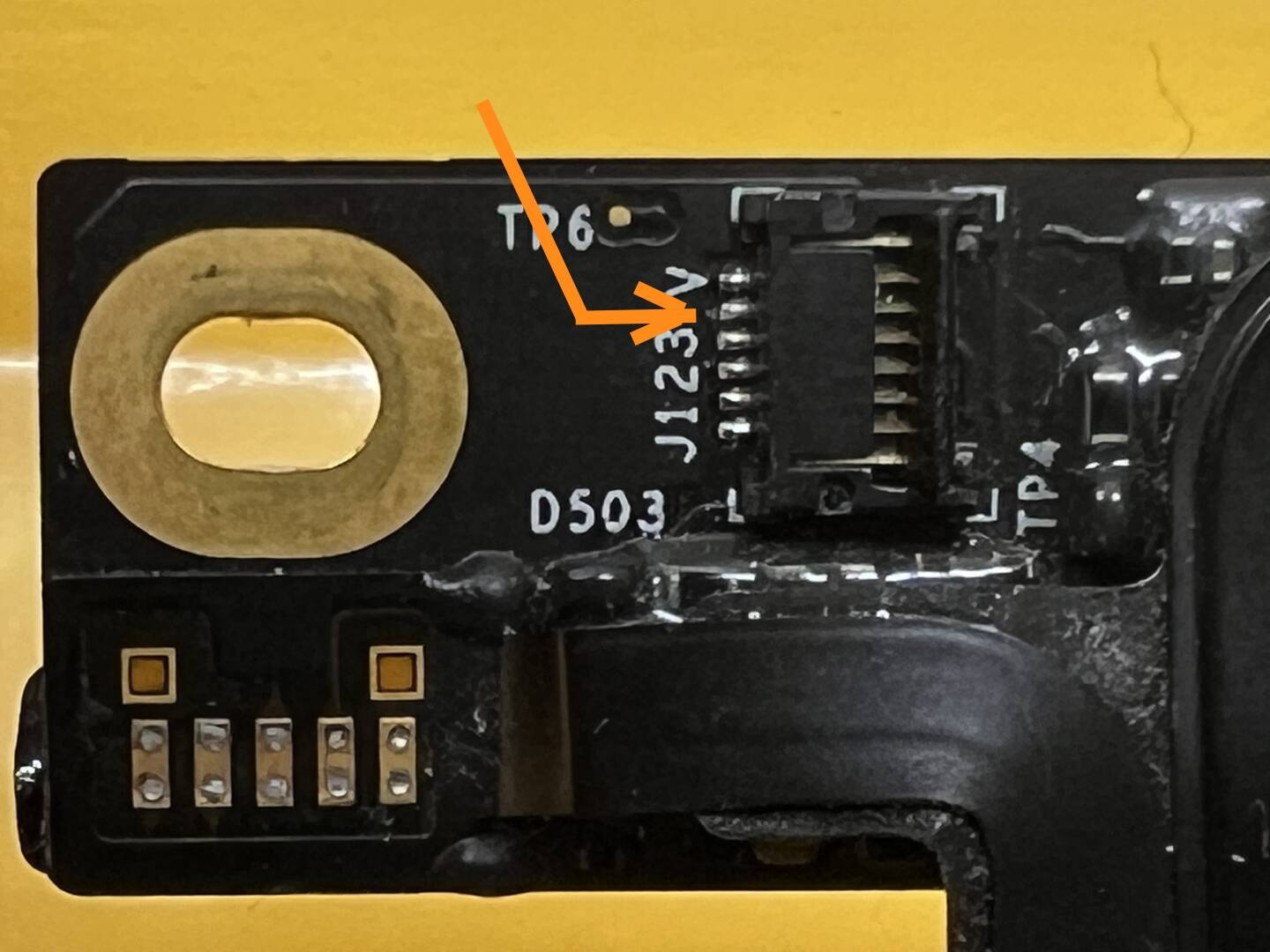
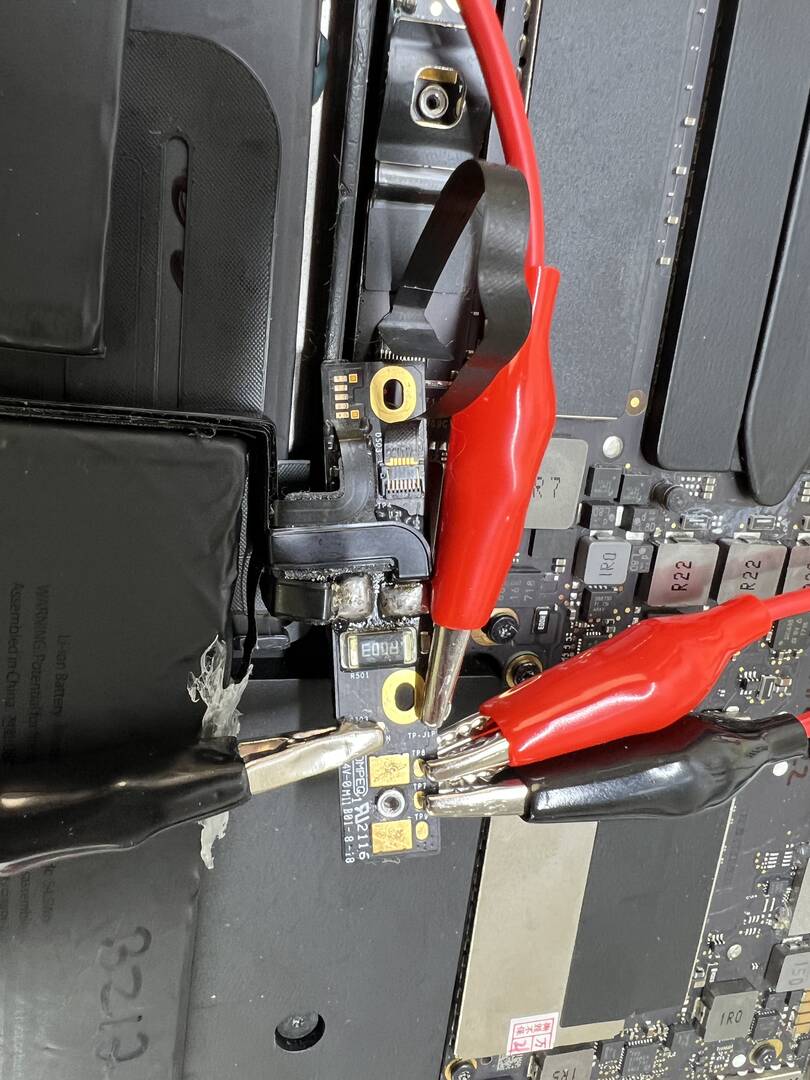
Pinout on NLBA is not available. I have tried many ways of connecting it and with the help of @azzido youtube video, i think i found that points TP8 & TP9 are C & D (not sure which yet) and think that TP6 point might have the SP?
I am trying to find a way to hook up this battery, without connecting it to a motherboard as it is a warranty case from a client and want to check if its a bad battery
whilst assuming that TP6 and topmost pin on the connector are SP i tested TP7,8 and 9 to assert my assumption for the zener diodes of C and D
Problem is that i found that all 3 points (to be around 625 - 630 (so there are 3 points not 2)
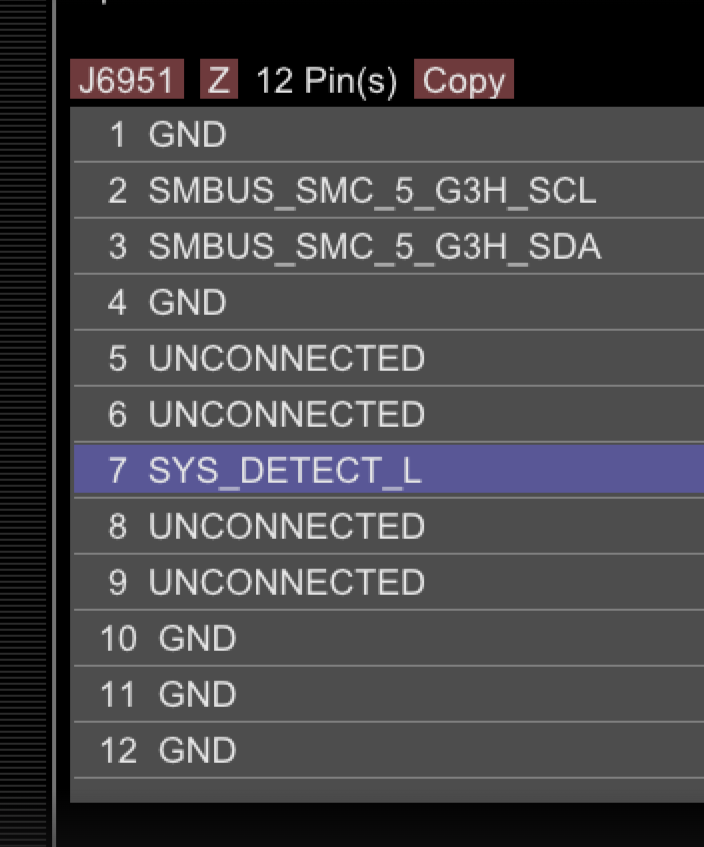
I also got my board view to get the pinouts on the logicboard instead and see maybe i can trace back and connect the dots in all of this. bare in mind that the screenshot below is of the logicboard, but it could be useful if anybody can read in between the lines here and offer some other help.
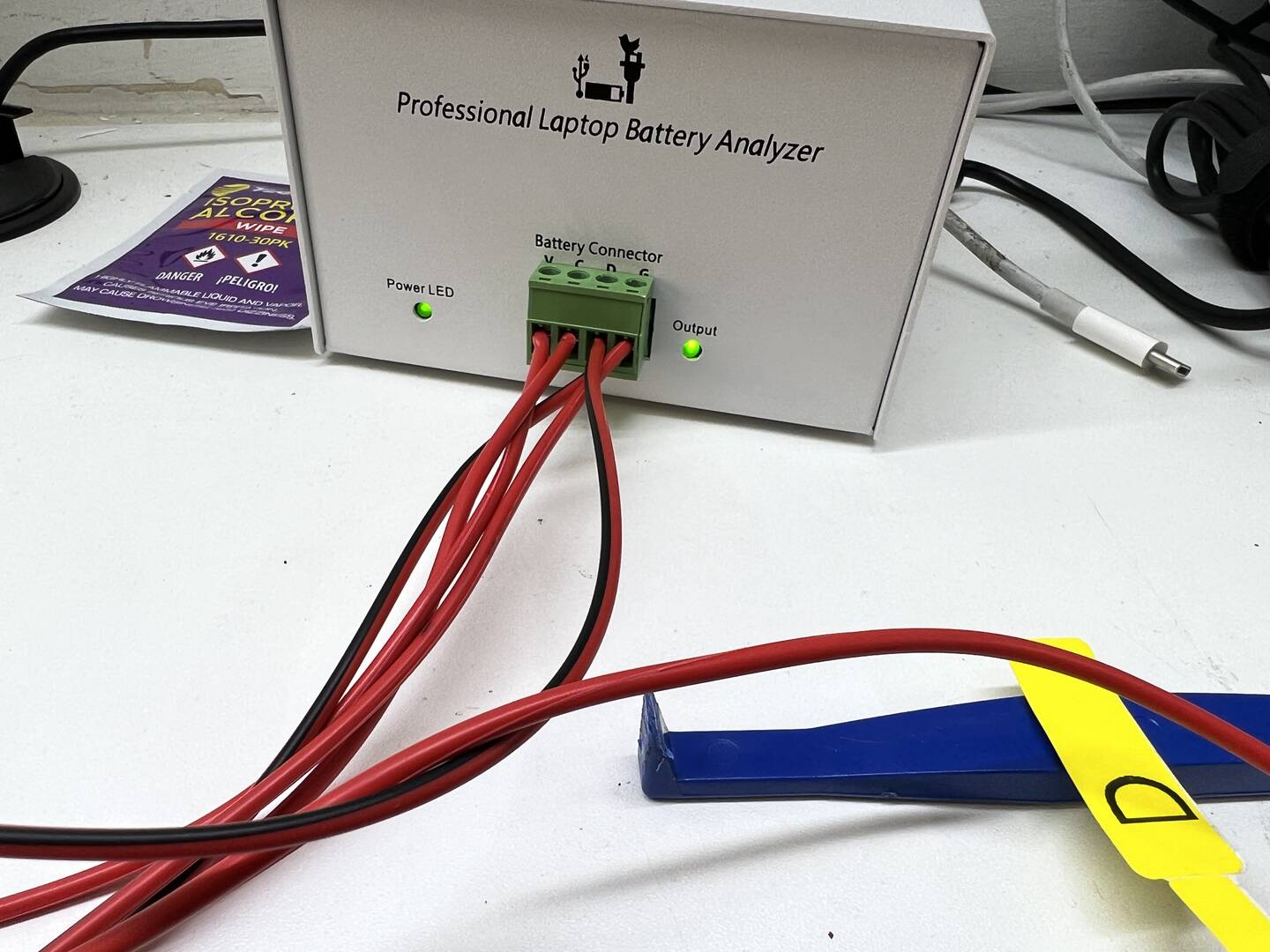
The difference here is that now i actually get the OUTPUT light on the NLBA coming on
System Present pin should be connected to GND to activate battery output.
If front LED is on when SP is connected to ground it means battery is not locked.
Does it works Ok in laptop ?
Try to reverse SDA and SCL wires. - I tried this already - same. I also tried switching off NLBA and software on/off, just in case.
If front LED is on when SP is connected to ground it means battery is not locked. - thank you for the tip, will keep this in mind
Does it works Ok in laptop - Last time i tried, yes it works ok. But since i pulled it out and started playing around with it to try to hook it up to NLBA i haven't tried it again. This will be my next step to confirm it is still actually working fine. Will let you know
In the laptop you could use Coconut Battery application to check battery parameters.
The initial issue with this battery is that after 6-7 full charge and discharge cycles, it still shuts the device down (whilst on battery) at around 15%, without any warning
I wanted to check if it requires a proper calibration or if it is faulty. I haven't tried coconut on it yet, though i do use it and will hook it up as well so that i can get some other info on it.
This website uses cookies to improve your experience. We'll assume you're ok with this, but you can opt-out if you wish. Cookie settingsACCEPT
Cookies Policy
Privacy Overview
This website uses cookies to improve your experience while you navigate through the website. Out of these cookies, the cookies that are categorized as necessary are stored on your browser as they are essential for the working of basic functionalities of the website. We also use third-party cookies that help us analyze and understand how you use this website. These cookies will be stored in your browser only with your consent. You also have the option to opt-out of these cookies. But opting out of some of these cookies may have an effect on your browsing experience.
Necessary cookies are absolutely essential for the website to function properly. This category only includes cookies that ensures basic functionalities and security features of the website. These cookies do not store any personal information.
Any cookies that may not be particularly necessary for the website to function and is used specifically to collect user personal data via analytics, ads, other embedded contents are termed as non-necessary cookies. It is mandatory to procure user consent prior to running these cookies on your website.