


Go to SMBus commands
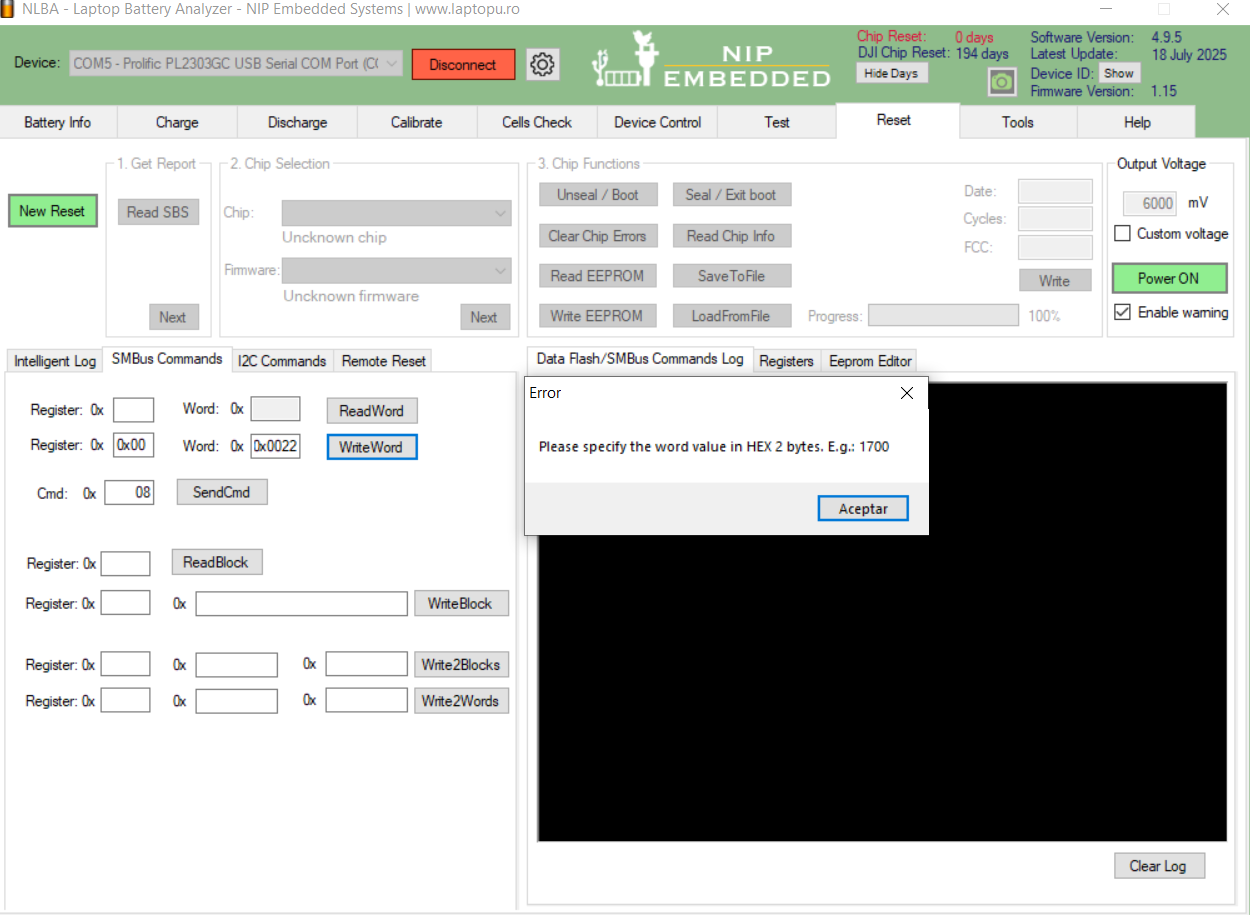
and on the Write Word:
Regeister 0x00 Word 0x0022
And then press WriteWord
Then Read chip info and paste picture here

@loliconic Hello
When I open SMBUS I can see it, but it won't let me click on it. When I connect it, SMBUS disappears.
@loliconic Hello, today I discovered that if I connect the EV 2300 or EV2400, I can open the SMBUS window, but unfortunately I don't have the license, so I can't check if PRES is 1 or 0.
That is, with NLBA 1, SMBUS disappears when connected, and with the EV 2300 or EV2400, I can see SMBUS.
With NLBA1, navigate to the reset page, and then you will find the SMBus page in the lower left corner.

@loliconic not working
It only works and charges and also balances only when the battery is unlocked and turned on.
Do a long reset:
-
Press and hold the button for 20–25 seconds.
-
Leave the battery disconnected for 1–2 minutes.
-
Then connect it to the charger without turning it on.
-
Wait 30–60 minutes to see if it starts charging.
@loliconic The Mavic Mini batteries don't have a power button.
And the same thing happened to me with the Osmo batteries, for example. If they don't turn on, the NLBA doesn't recognize them either.
@loliconic The Mavic Mini 1 and Mavic Mini 2 batteries don't have a power button.
They are placed in the drone, and the drone has a power button.
What you see in the video is just a snap to secure it to the drone.
Latest Post: Autel x-star battery Our newest member: [email protected] Recent Posts Unread Posts
