

Acer battery AP18C8K with chip 045A20 LGC-ACR DEV301 does not charge. I have already charged a bit to discharge and see if mosftes are hot but they are not, only a bit warm.
battery is unlocked, but it doesnt charge.
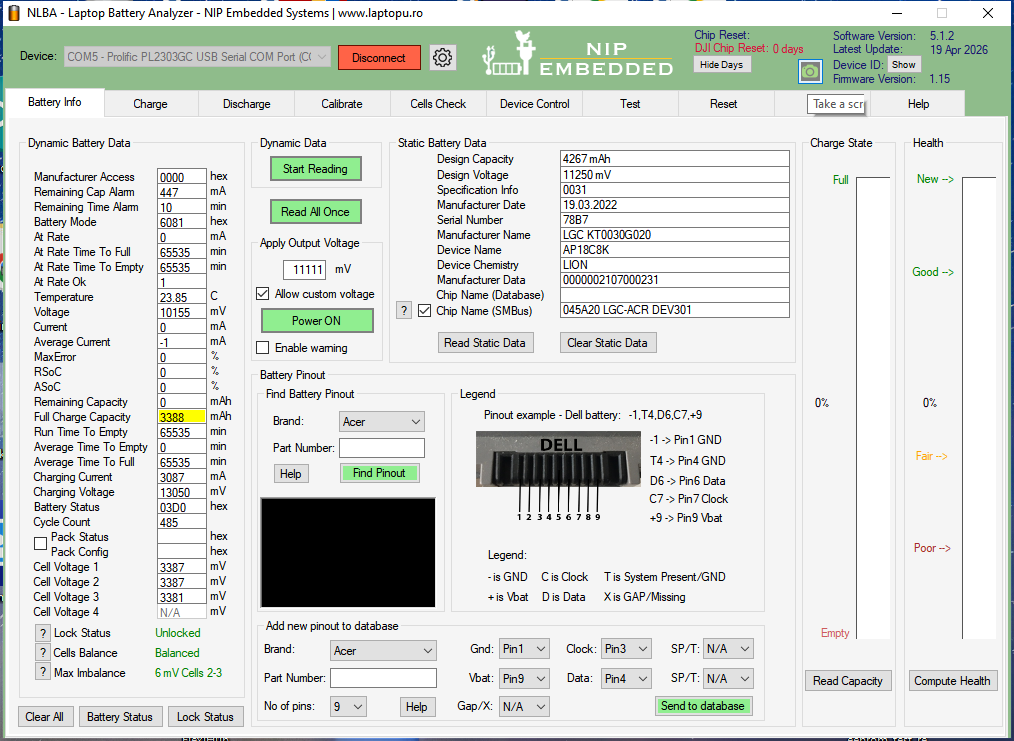
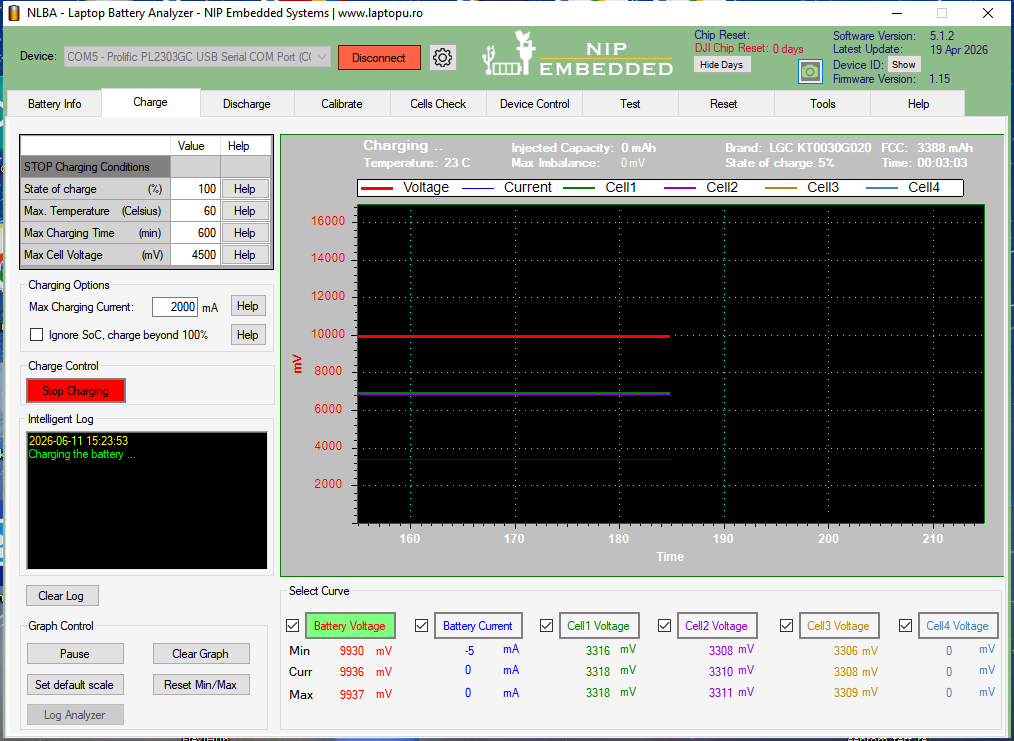

@loliconic yes, I cleared chip errors. may be dump is corrupted? I also repaired fuse. Battery is discharging correctly, but does not charge.
Try to charge it from the first page by setting the voltage to 11000mV.
If this does not work, disconnect the battery, set the voltage to 10V, press power on, then measure the voltage on the V and G on the green connector.
@loliconic in the first page, charging with Power on did not work. When cells were under 3v it charged up to 10mA, but then it seems fuse was blown. I repaired fuse after that. NLBA can not charge at 10v if nothing is connected it gets to 9V, however real voltage read with tester says 8,8v
Check the fuse again.
If the fuse is good the charging should work.
Latest Post: Acer AP18C8K with chip 045A20 LGC-ACR DEV301 doesnt charge. Our newest member: [email protected] Recent Posts Unread Posts
